Explore the main features Risify offers to improve how your Shopify store appears in AI answers and search results.
With Risify, you can track whether AI tools recommend your store, monitor your keyword rankings, improve your product, collection and page information, and publish structured data, all without leaving your Shopify admin.
When you open the app, the AI & Search Visibility Overview shows your setup progress, your latest AI and search results, and the next steps to take.
AI & Search Visibility
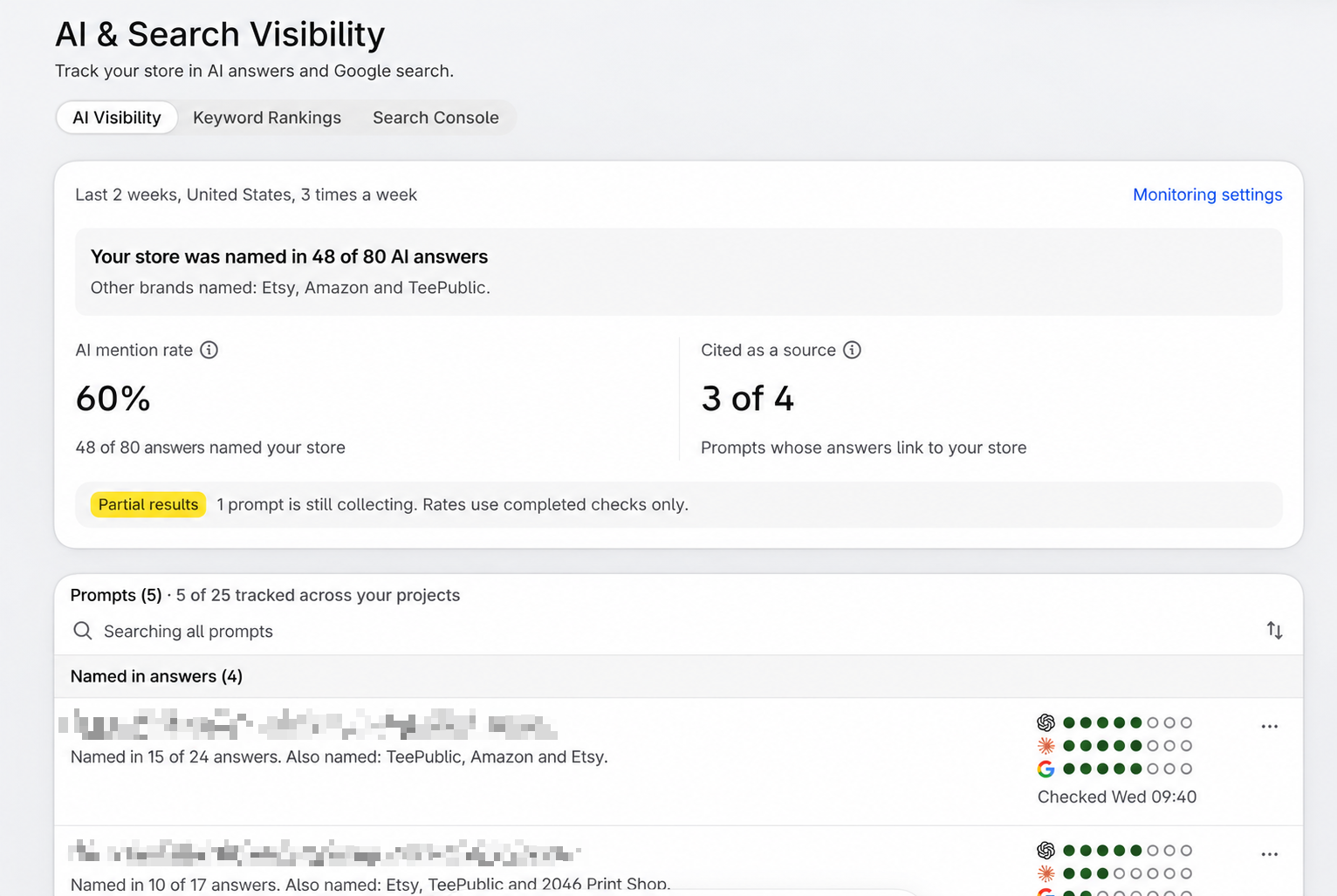
You can track how your store appears in AI answers and Google search from one page. AI & Search Visibility has three tabs: AI Visibility, Keyword Rankings and Search Console.
AI Visibility
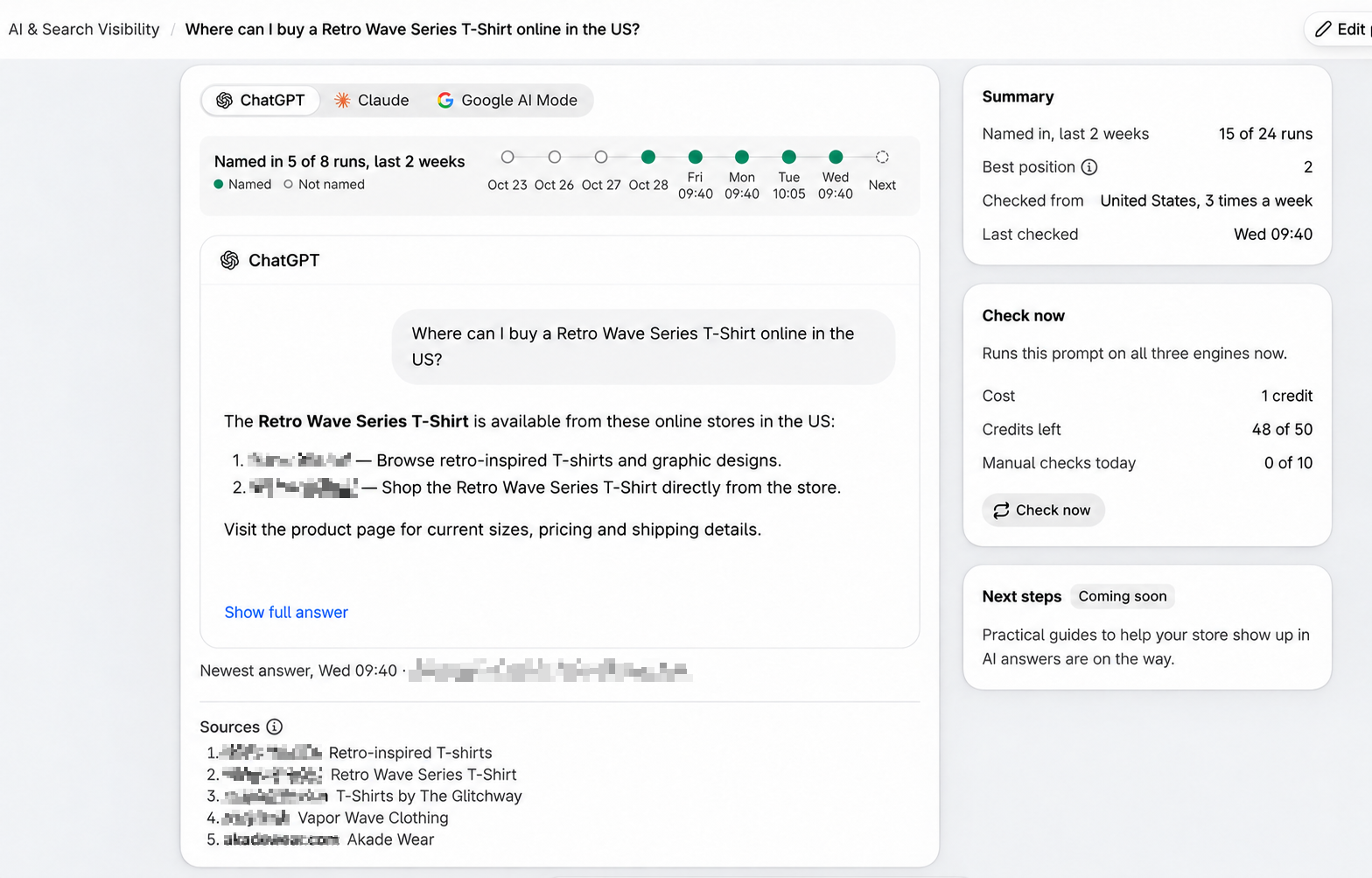
You can track how ChatGPT, Claude and Google AI Mode answer the questions your shoppers ask. Add your questions as prompts, and Risify checks them three times a week to see whether each answer names your store, links to it as a source, or recommends other brands instead. Each prompt has its own page with the full answers, the sources used and the brands named. The Sources & competitors page shows your share of voice for each AI tool, the sites AI tools cite most often for your topics, and what AI tools say when a prompt names your store.
Learn more about Risify AI Visibility .
Keyword Rankings
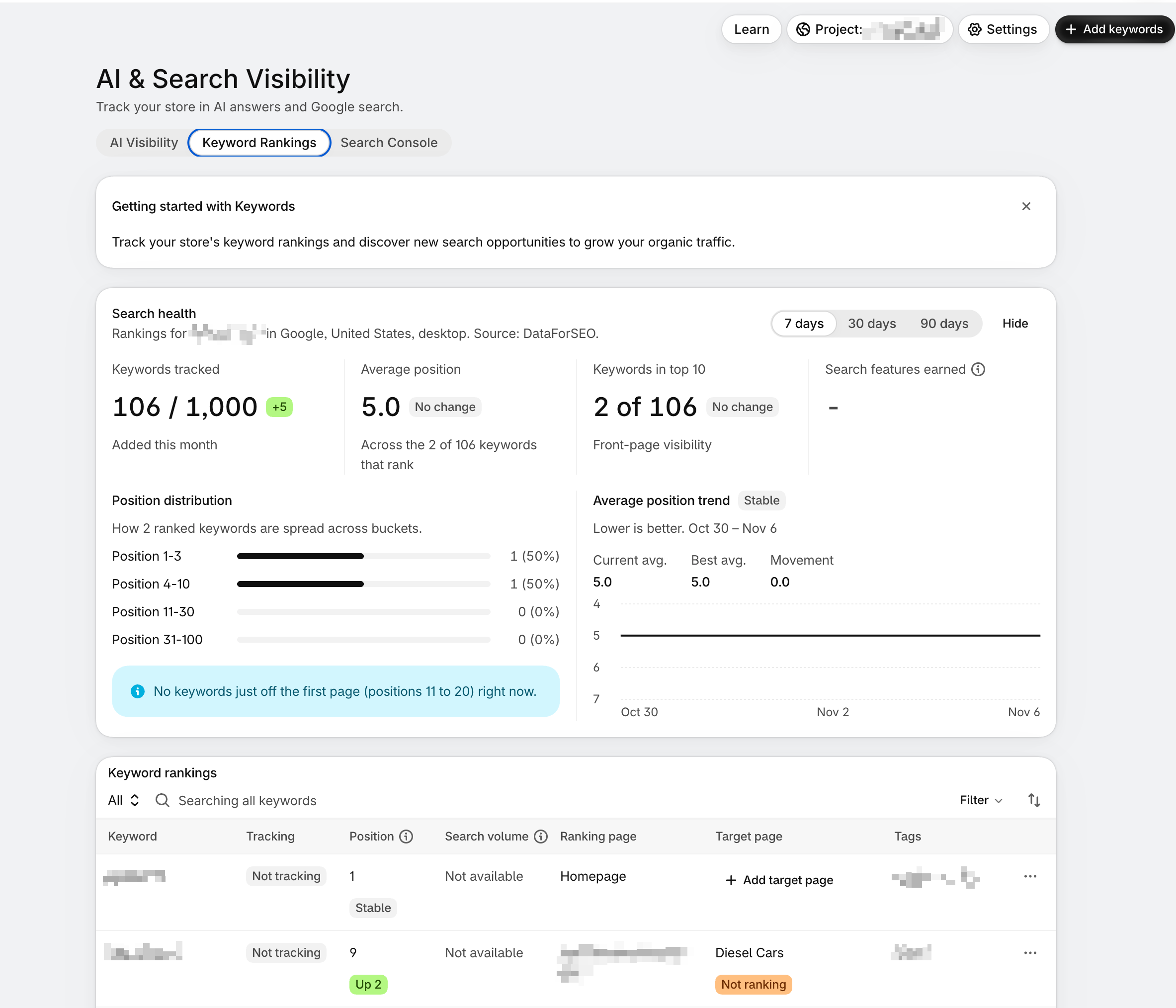
You can track the keywords that matter to your store and follow how they rank in Google over time. Keyword Rankings shows how many keywords you track, your average position, how many keywords rank in the top 10, and how your rankings are spread across positions. Each keyword has its own page with search volume, position history, the page currently ranking, your target page and search features. You can set the country, language and device for each project.
Learn more about Risify Keyword Rankings.
Search Console
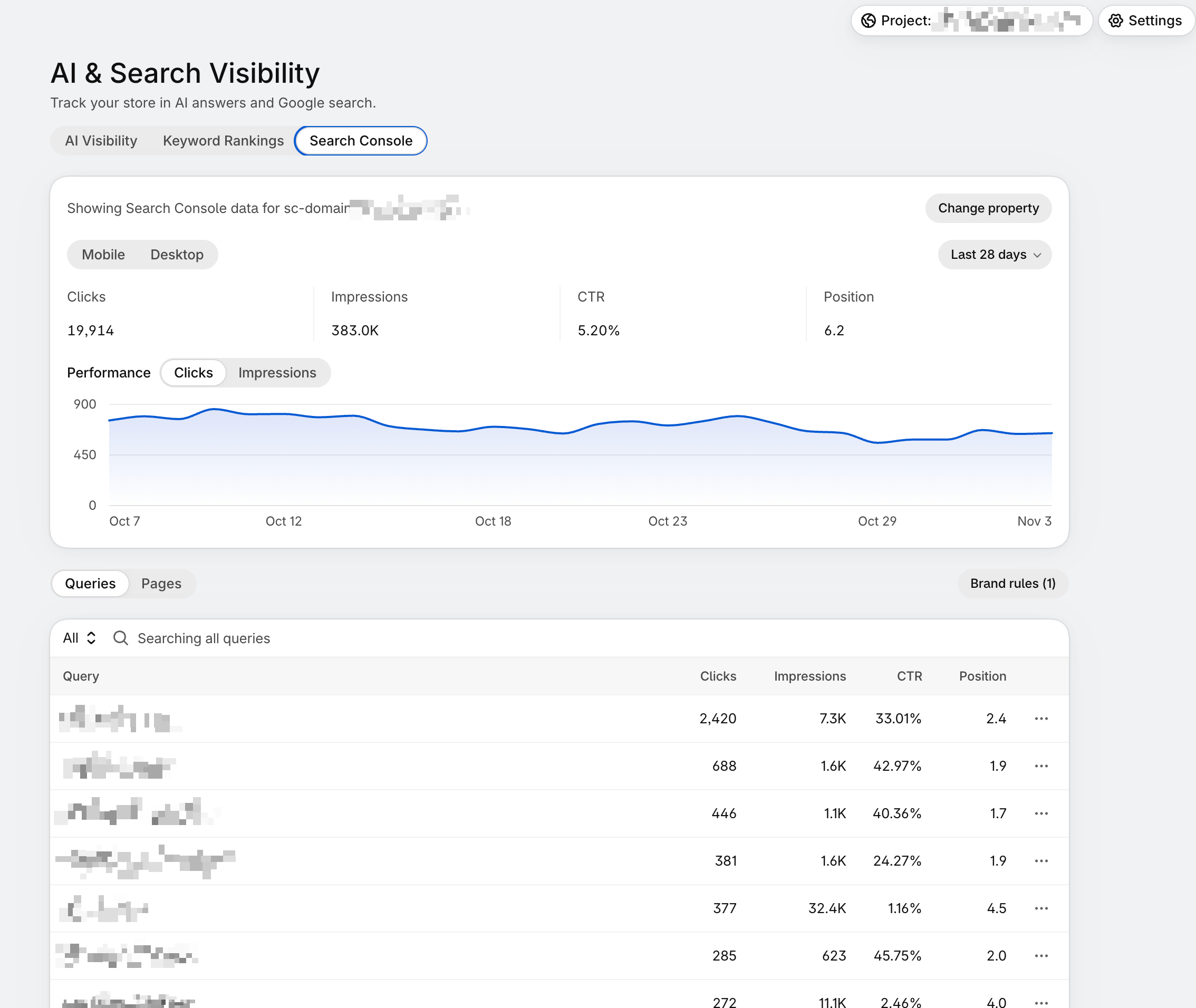
You can connect Google Search Console to see clicks, impressions, CTR and average position for your queries and pages, on mobile and desktop, inside Risify.
Risify AI
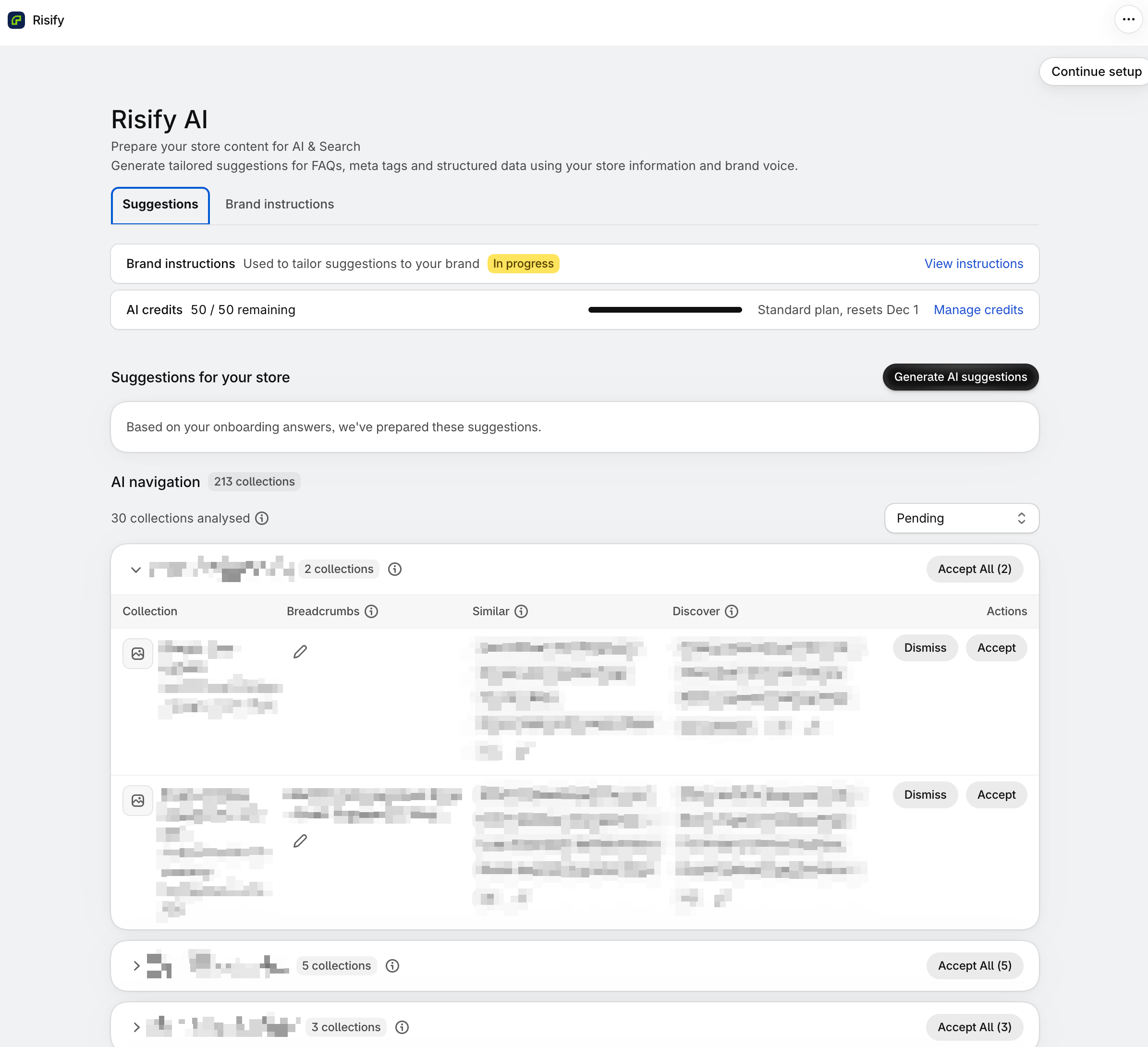
You can generate suggestions for FAQs, meta tags and structured data that match your brand. Risify AI learns your brand through Brand instructions, where you describe your brand voice, brand references, business model, target audience, brand pillars, product focus and content preferences. You can edit your Brand instructions anytime to adjust the suggestions. Generating content uses AI credits, which are included in your plan and reset monthly.
Learn more about Risify AI.
Audit
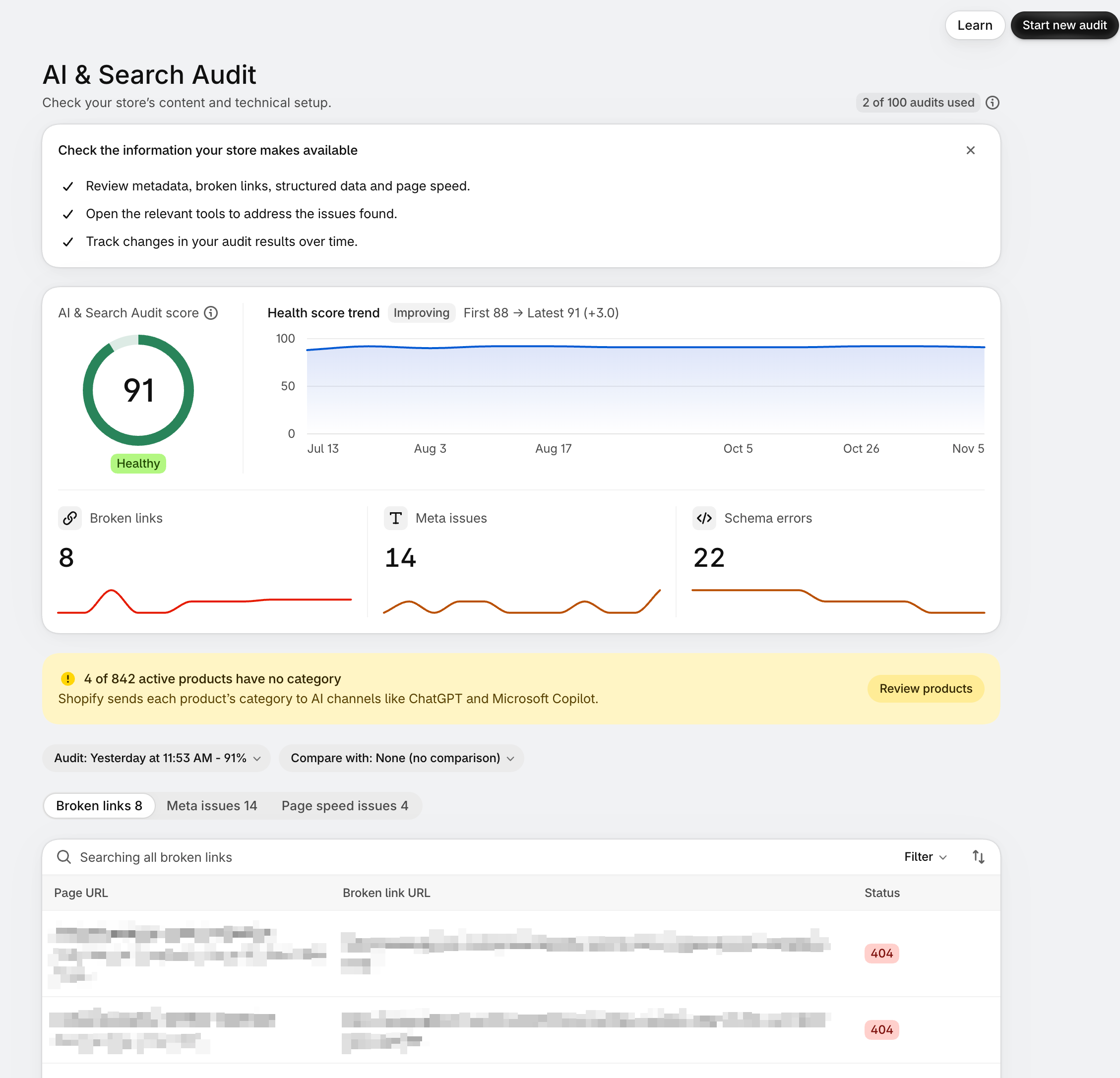
You can scan your store for issues that affect how search engines and AI tools read it. The audit checks metadata, broken links, structured data and page speed, and gives your store an AI & Search Audit score. Results are organized into Broken links, Meta issues and Page speed issues, and a trend chart shows how your score changes over time. You can run a new audit whenever you want and compare it with an earlier one to see what changed.
Learn more about Risify Store Audit.
Page Optimization
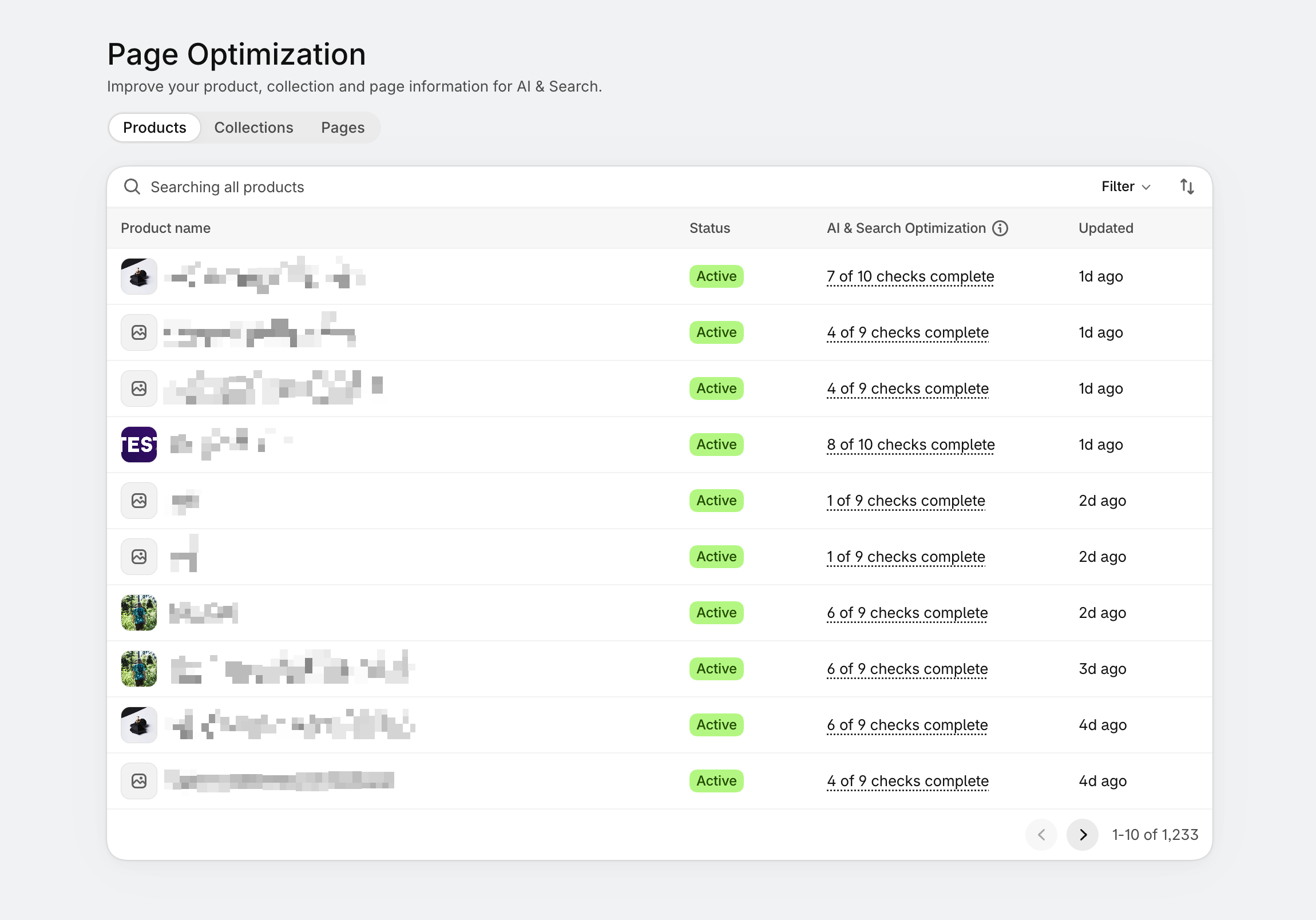
You can see how well each product, collection and page is set up for AI and search. Page Optimization lists every item with a set of checks and shows how many are complete, for example "7 of 10 checks complete". Search, filter and sort to find the pages that need attention first. Once you click onto any page on this list, you can set up its foundations such as meta title & description, breadcrumbs, similars, related searches, descriptions, FAQs, and more.
FAQs
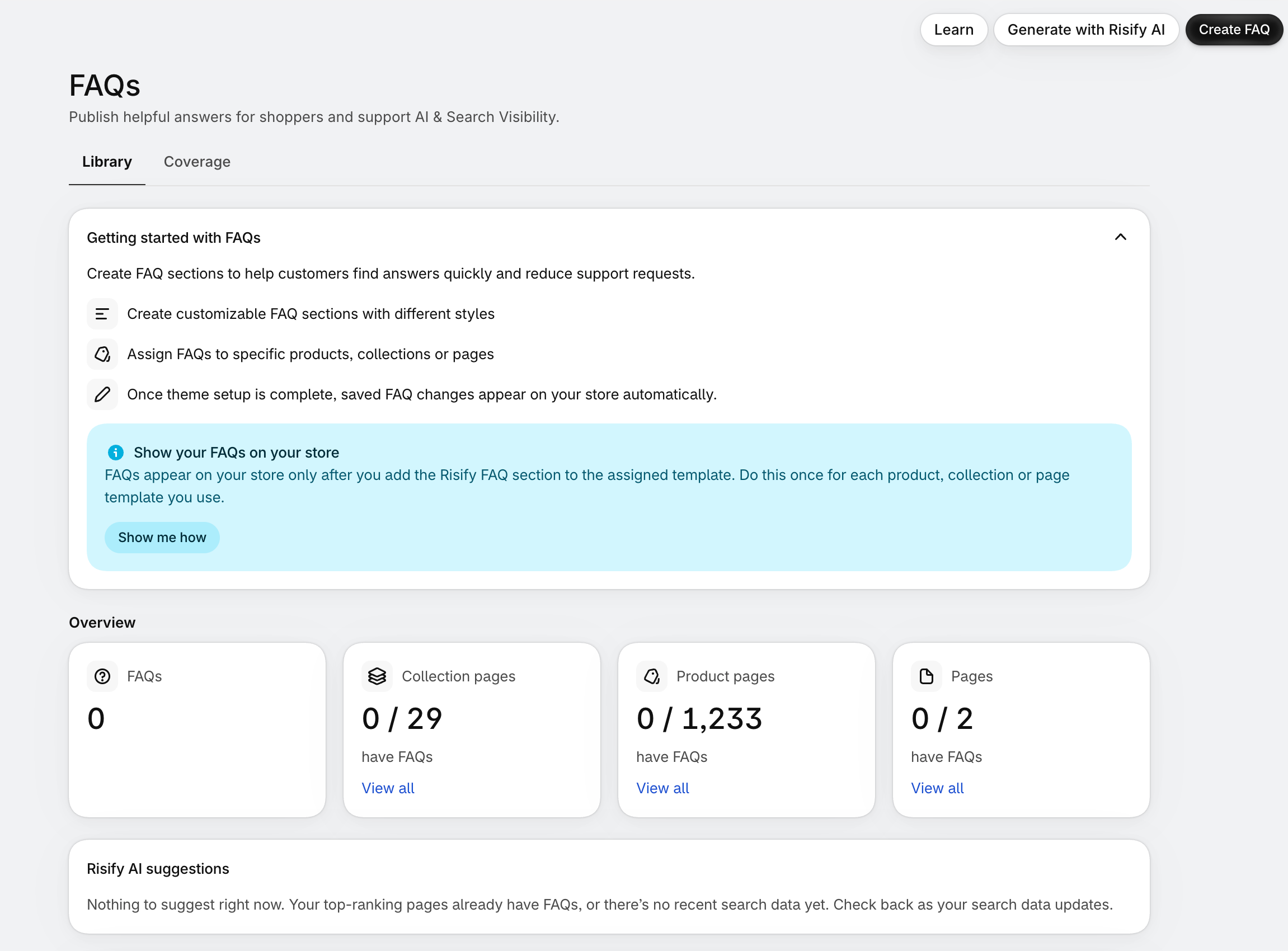
You can create reusable FAQs and assign them to any product, collection or page. A single FAQ can appear in multiple places, making it easy to keep answers consistent across your store. The Coverage tab shows which products, collections and pages already have FAQs. You can write FAQs yourself or generate them with Risify AI. FAQs are published with FAQ structured data, which helps search engines and AI tools recognize your questions and answers. To show FAQs on your store, add the Risify FAQ section once to each template you use.
Learn more about Risify FAQs.
Meta Tags Management
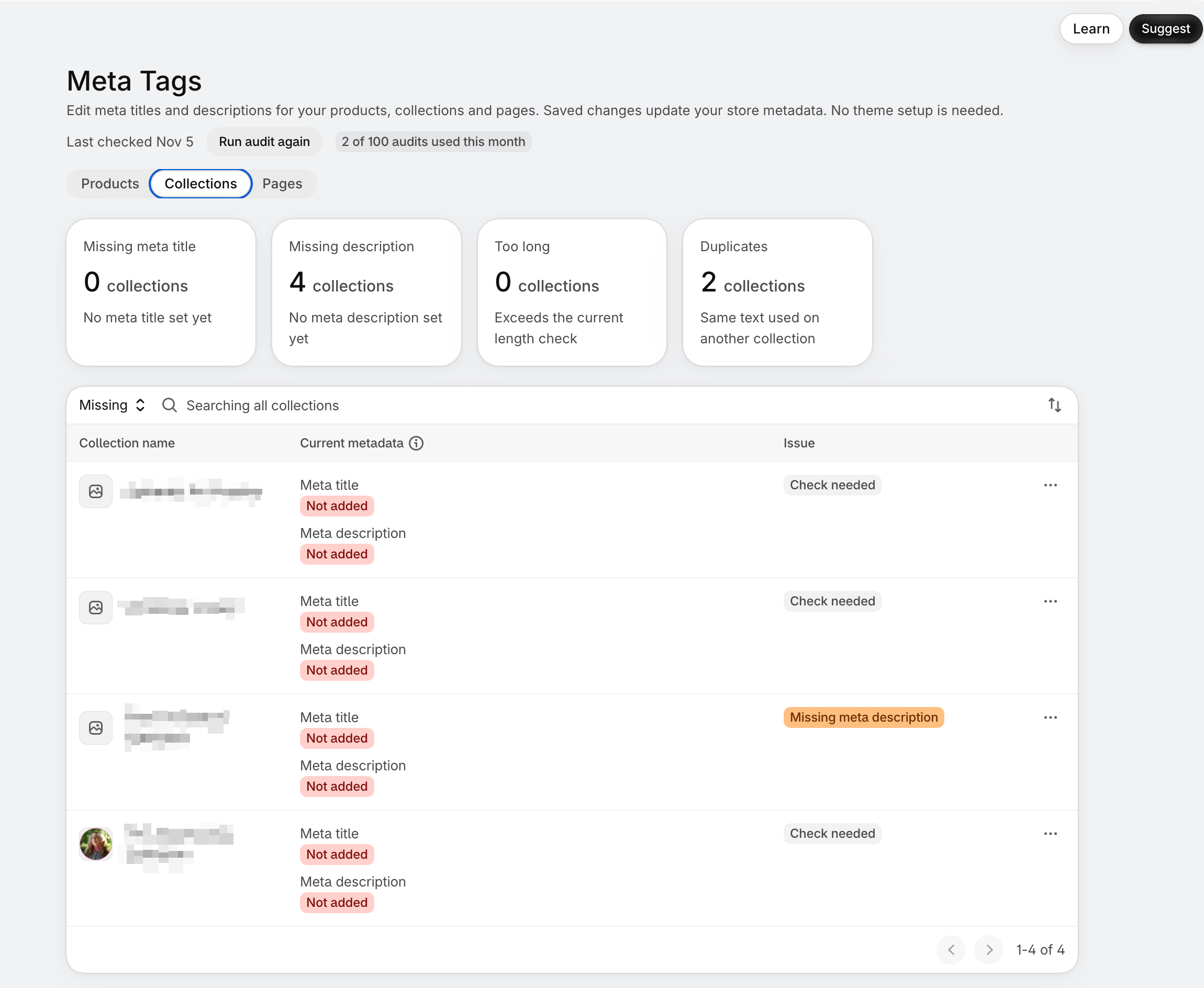
You can edit meta titles and descriptions for your products, collections and pages from one screen. Summary cards show how many items have a missing title, a missing description, text that is too long, or duplicate text, so you can fix them without opening pages one by one. You can also use Risify AI to suggest meta tags. Saved changes update your store's metadata directly, with no theme setup needed.
Learn more about Risify Meta Tags.
Navigation
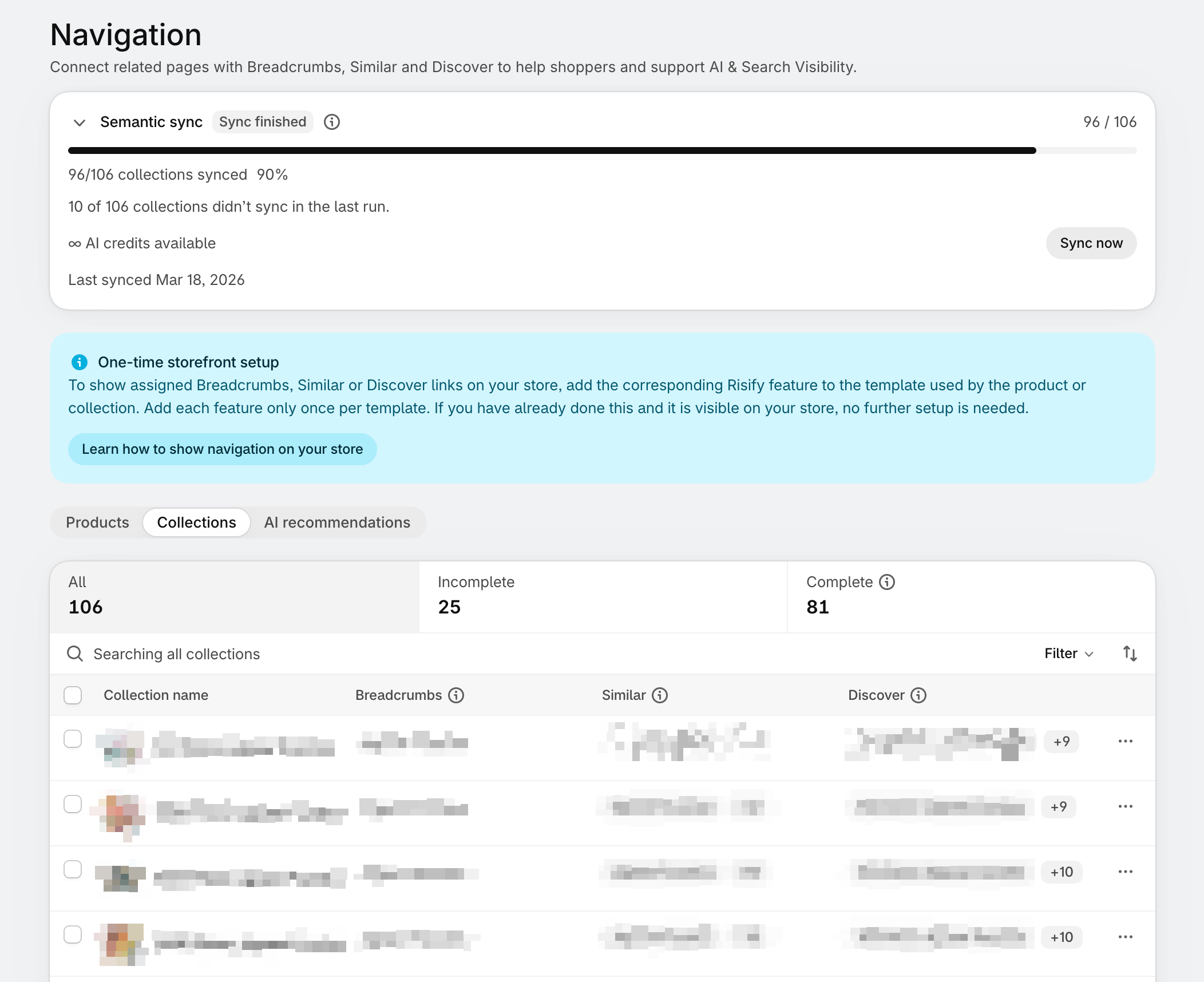
You can connect related pages across your store with three features: Breadcrumbs, Similar and Discover. These links help shoppers move through your catalog and help search engines and AI tools understand how your products and collections relate. You can build links yourself or use AI recommendations, and the Navigation page shows which products and collections are complete. To show navigation on your store, add each feature once to the templates you use.
Learn more about Risify Navigation.
Breadcrumbs
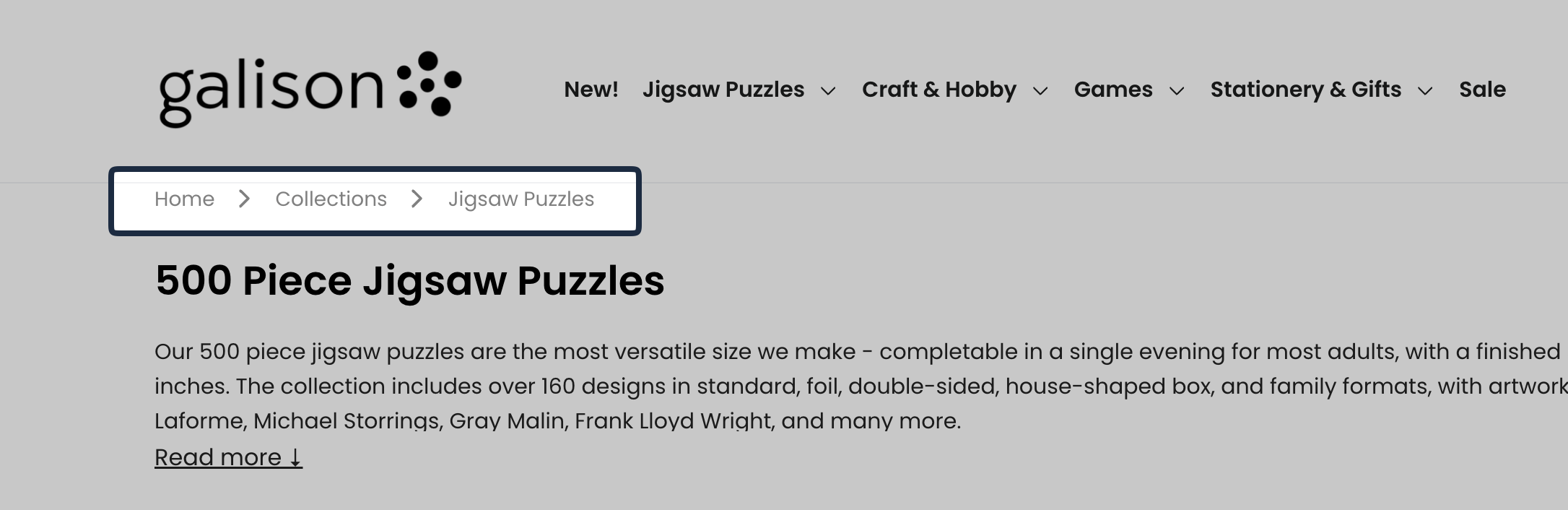
You can create clear breadcrumb paths for your products and collections, so shoppers always know where they are in your store. Risify adds Breadcrumb structured data automatically, so search engines can show the path in search results.
Learn more about Risify Breadcrumbs.
Similar
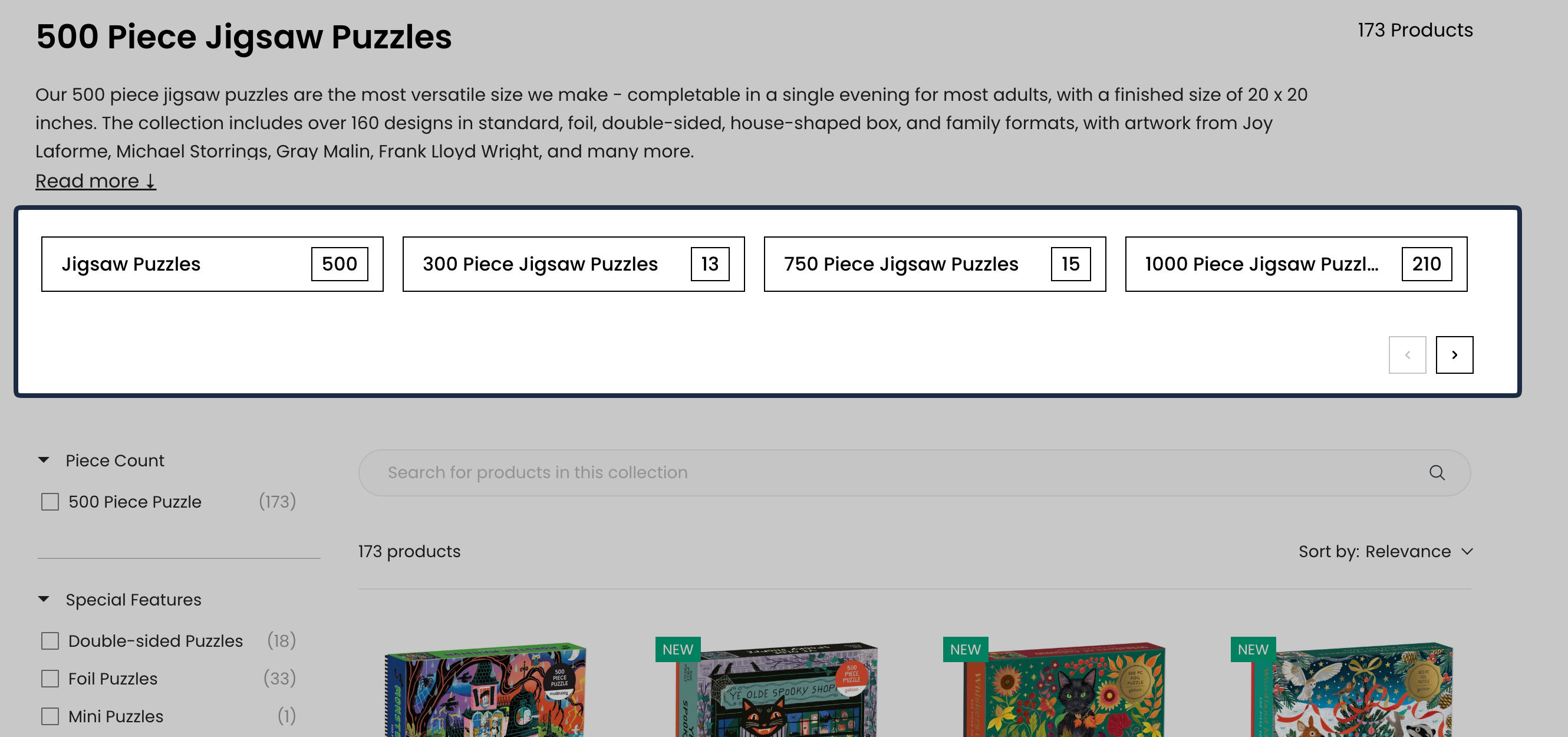
You can show a horizontal carousel of related collection cards, with images, above the product grid on your collection pages. This helps shoppers move between related categories without going back to the menu.
Learn more about Risify Similar.
Discover
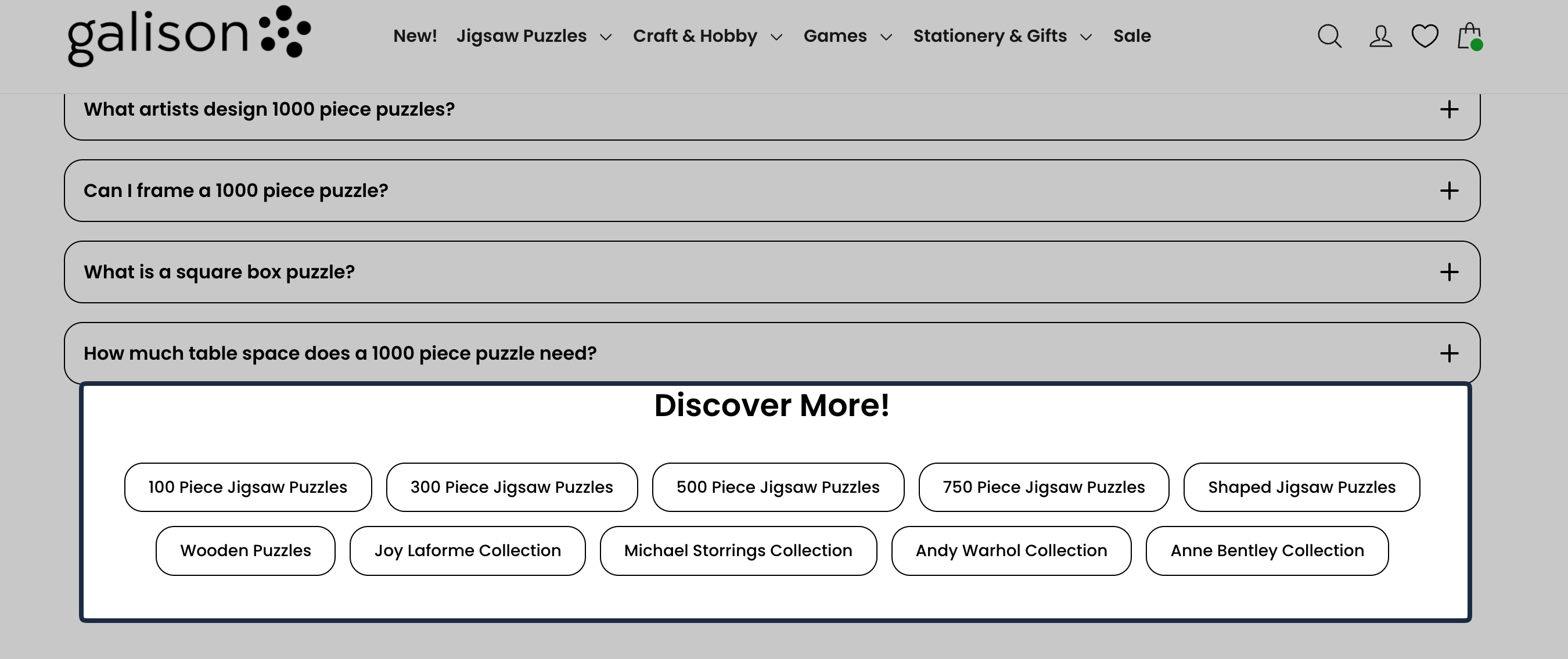
You can show links to related collections below the product grid. This gives shoppers somewhere to go next when they reach the end of a collection, instead of a dead end.
Learn more about Risify Discover.
Structured Data (Schema Implementation)
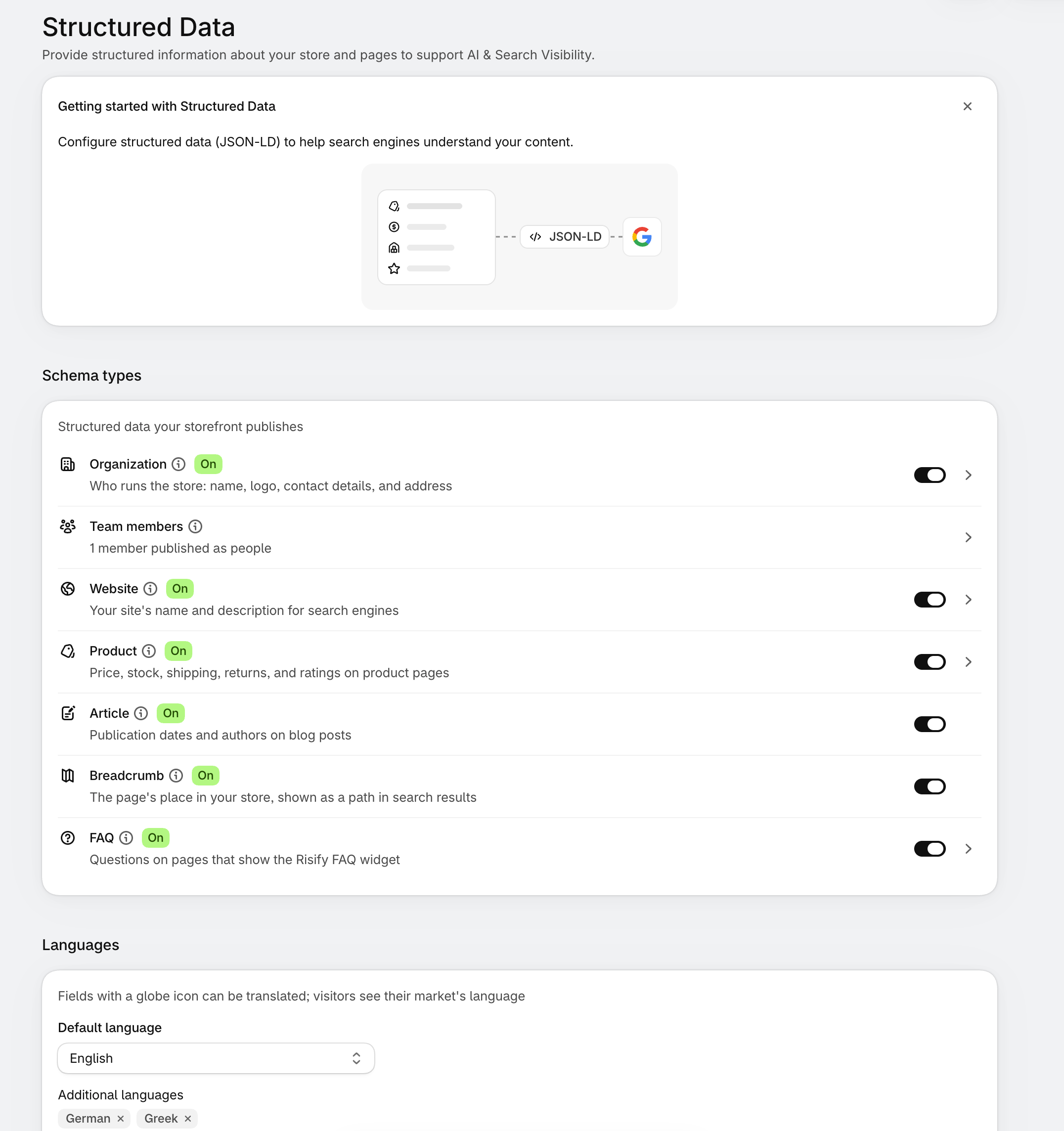
You can help Google, Bing and AI tools understand your store by publishing structured data (JSON-LD). Risify supports Organization, Team members, Website, Product, Article, Breadcrumb and FAQ schema types, each with its own on and off switch on one settings page. Product structured data includes price, stock, shipping, returns and review ratings from your review app (Judge.me, Loox, SPR, Stamped.io). If you sell in several markets, you can add languages so translatable fields follow each market's language. Debug mode shows the generated code on your storefront, and you can test it in Google from the same page.
Learn more about Risify Structured Data.
Store Widgets
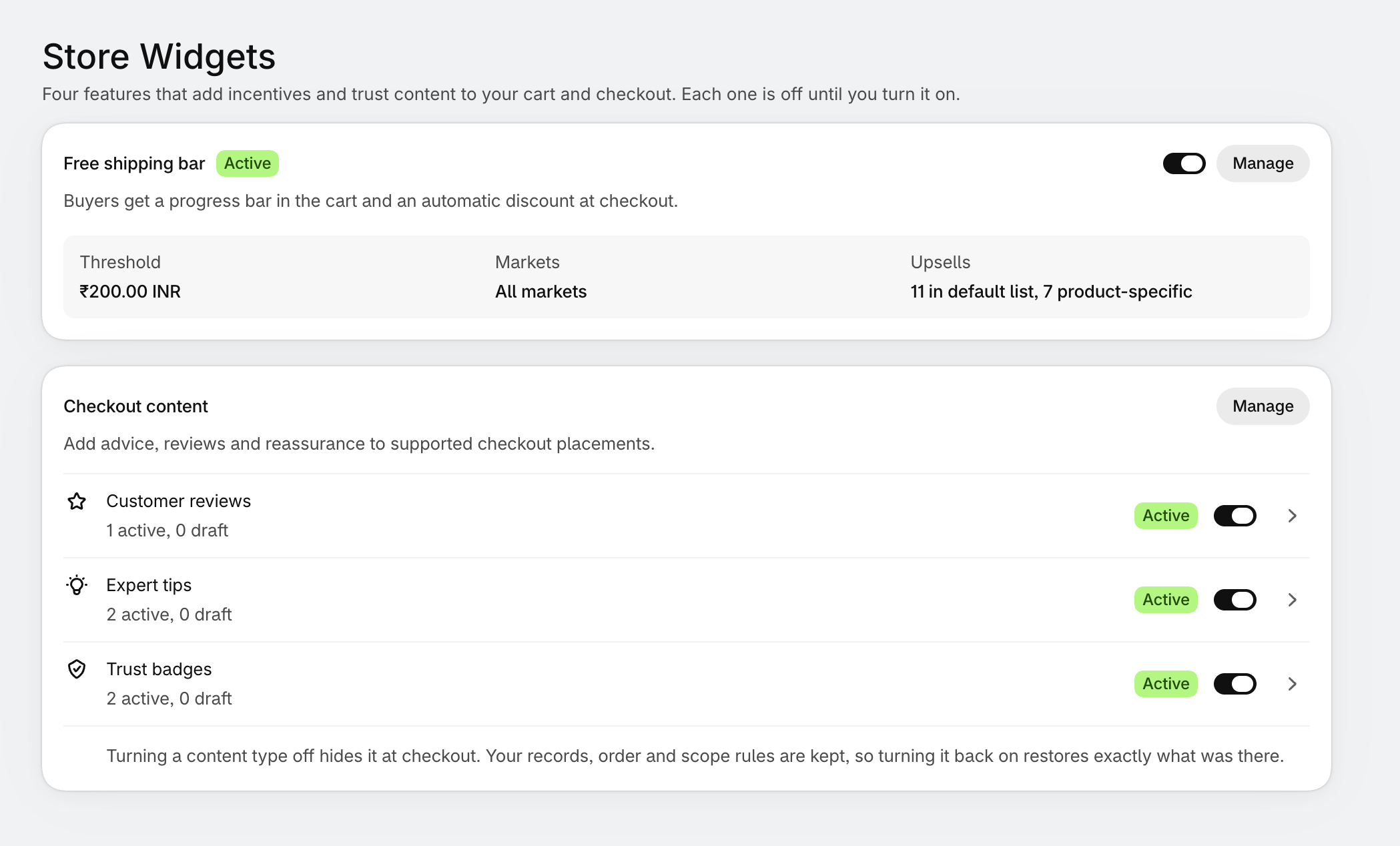
You can add incentives and trust content to your cart and checkout. The Free shipping bar shows shoppers how close they are to free shipping and applies the discount automatically at checkout. Checkout content adds customer reviews, expert tips and trust badges to supported checkout placements. Each widget is off until you turn it on, and turning one off keeps its settings so you can turn it back on later.
AI Readiness
You can prepare your store for AI search tools like ChatGPT, Gemini, and Perplexity through structured data, organized FAQs, and clear product-collection relationships. These elements help AI systems read and understand your catalog so they can interpret and recommend your products more accurately.
This preparation works alongside your traditional SEO efforts. When your store has valid schema markup and well-organized content, both search engines and AI assistants can extract and present your information more reliably.
Learn more about how Risify helps you get more AI-Ready.