The Meta Tags feature in Risify allows you to edit meta titles and meta descriptions for all your collections and products from a single screen.
Normally in Shopify, you need to open each product or collection individually to edit its metadata, which is time-consuming and easy to overlook. Risify simplifies this process by listing all collections and products together, letting you manage their SEO details quickly and efficiently.
👉 Curious how Risify Keyword tracking can help your store? Browse what meta tags do for your Shopify store to learn best practices and get the most value from it.
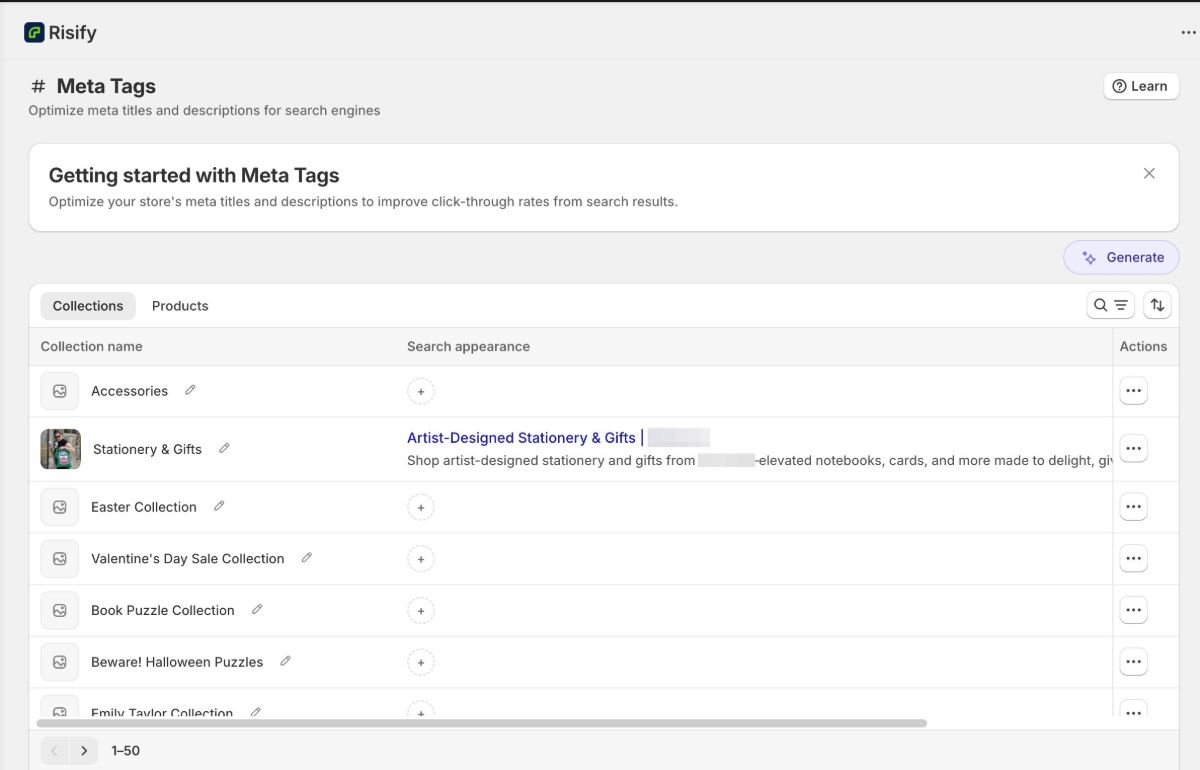
What You Can Do With Meta Tags
- Save time: Edit all your product and collection metadata in one place instead of opening them one by one.
- Improve SEO consistency: Make sure every page has a properly optimized title and description.
- Preview instantly: See how your title and description will appear in search results before saving.
How to Use the Meta Tags Feature in Risify
Follow these steps to edit meta tags for your collections or products.
Step 1: Open the Meta Tags Section
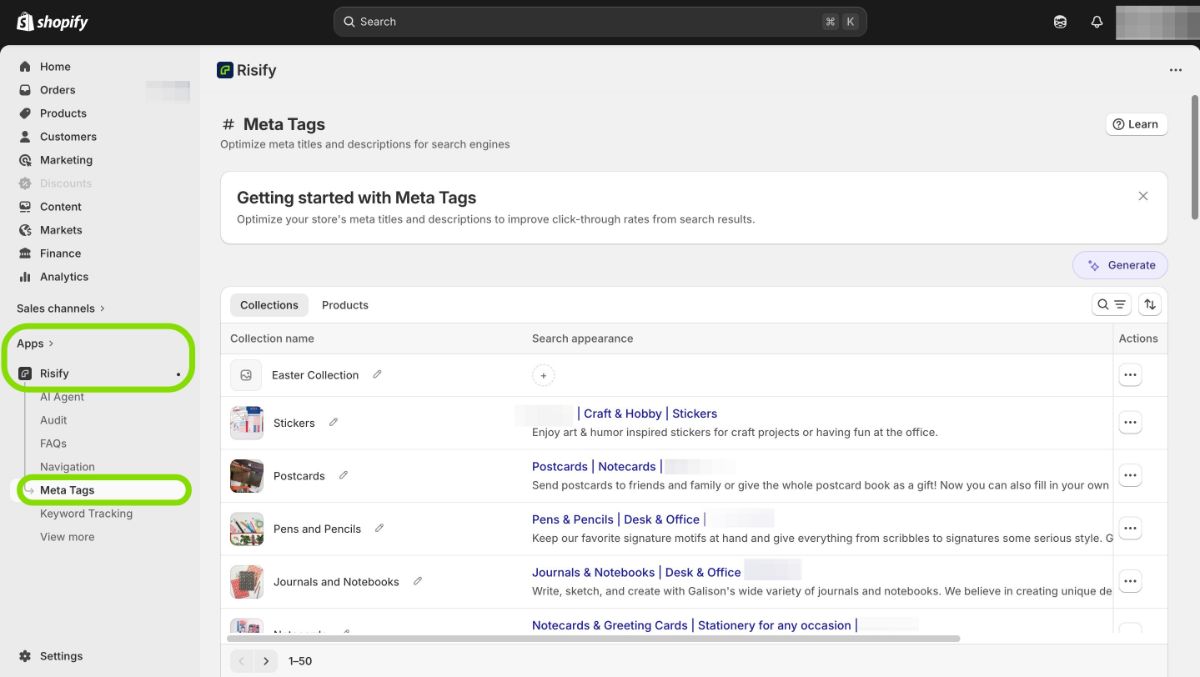
In your Shopify admin, go to Apps, open Risify, and click Meta Tags from the left-hand menu.
Step 2: Choose Collections or Products
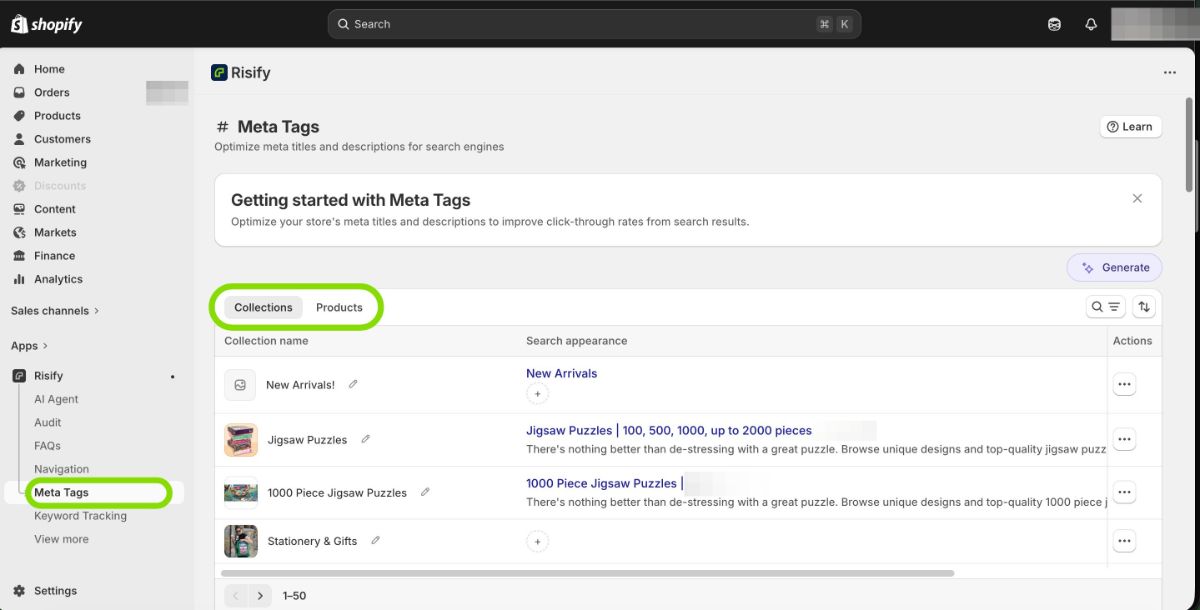
At the top of the page, select whether you want to edit metadata for your Collections or your Products.
Step 3: Edit a Meta Title and Description
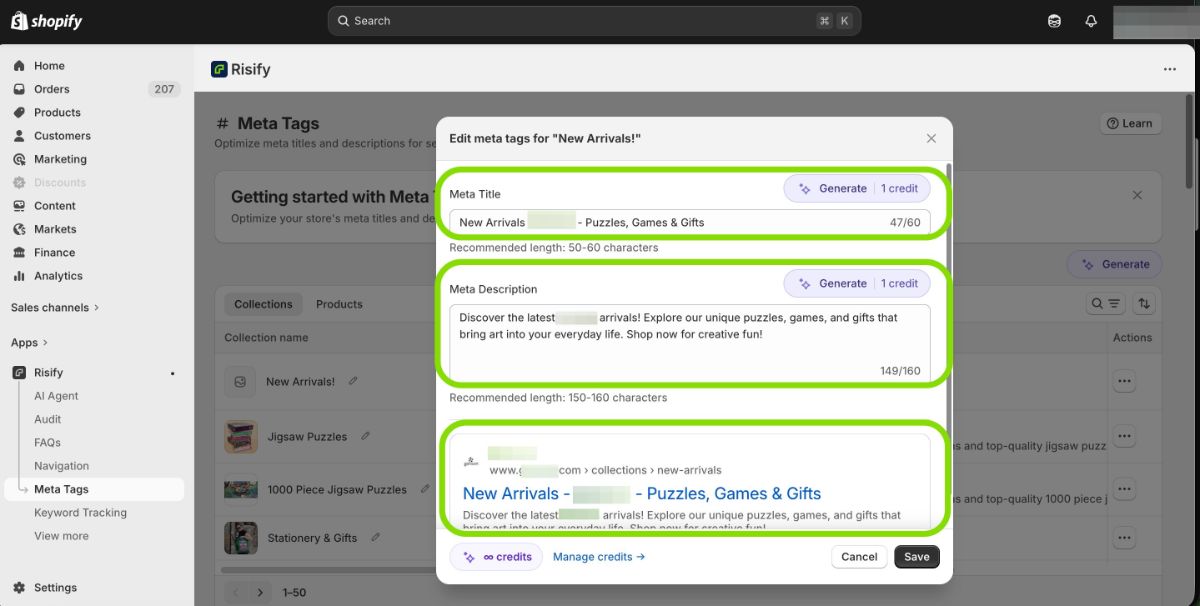
Find the collection or product you want to update. Under the Actions column, click Edit.
A popup will appear with two fields:
- Meta Title: Recommended length is 50–60 characters.
- Meta Description: Recommended length is 150–160 characters.
As you type, a live preview shows how your title and description will look in search results. When you are satisfied with the result, click Save.
Your updated metadata is applied directly in Shopify. No additional changes are needed on your storefront.
Tip: You can also use Risify’s AI Generator to create meta titles and descriptions automatically. Click the Generate button in this section to use 1 AI credit per item.
Summary
Risify’s Meta Tags feature streamlines how you manage SEO across your store. Instead of editing products and collections one by one, you update everything from a single screen with a live search preview.
This helps you save time, maintain consistency, and make sure every page is optimized before it goes live.