The Meta Issues tab in Risify’s Store Audit flags problems with your meta titles and meta descriptions across your store. These are the text snippets that appear in Google search results, they tell search engines and shoppers what each page is about.
Pages with missing, too-short, or duplicate metadata are harder for search engines to rank and less likely to get clicked in search results. Fixing meta tag issues is one of the most direct ways to improve your store’s search visibility.
What the Meta Issues Tab Shows
Comparison Summary
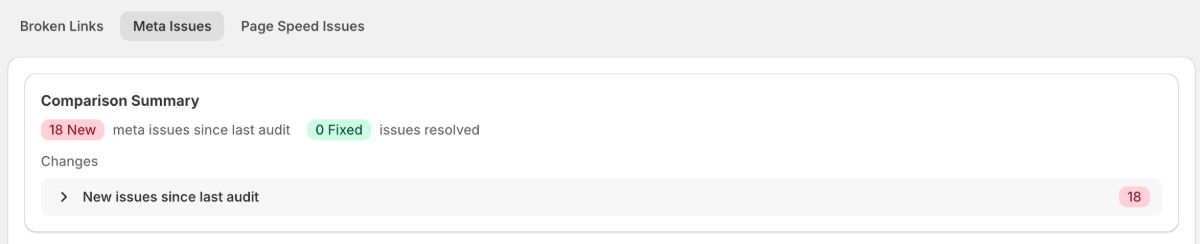
At the top, you will see how many new meta issues have appeared since your last audit and how many have been resolved. This tells you at a glance whether your store’s metadata is getting better or worse.
Suggested Fixes
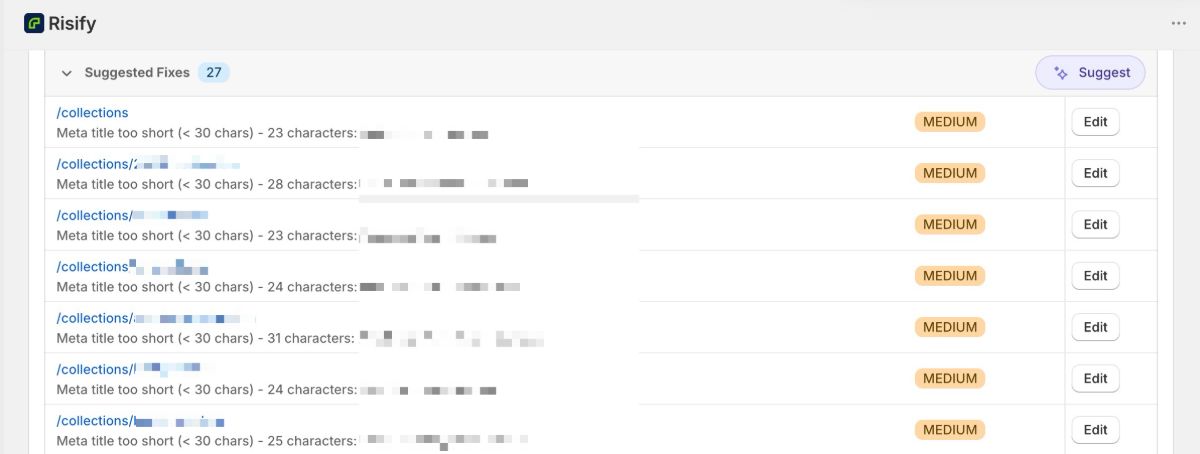
Below the comparison, the audit groups issues under a Suggested Fixes section with a count showing how many pages need attention. A Suggest button at the top right lets you use Risify’s AI to generate meta tag suggestions in bulk.
The Issue Table
Each row in the table shows:
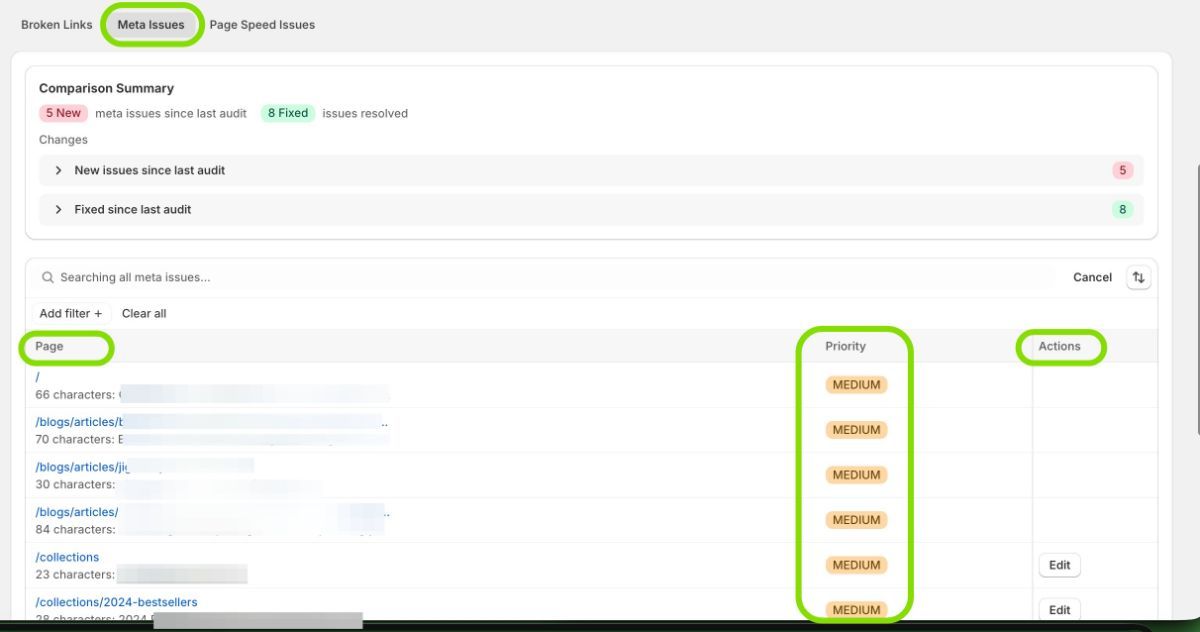
- Page: The URL and a description of the specific issue found on that page (e.g., “Meta title too short (< 30 chars) - 23 characters: Collections – Galison”).
- Priority: A severity label showing how important the fix is. You will see labels like MEDIUM for issues that should be addressed but are not critical.
- Actions: An Edit button that opens the meta tag editor directly, letting you fix the issue without leaving the audit screen.
You can search and filter the list to find specific pages.
Types of Meta Tag Issues the Audit Flags
Meta Title Too Short
The audit flags titles under 30 characters as too short. Short titles do not give search engines or shoppers enough information about what the page contains. The recommended length for meta titles is 50–60 characters.
Meta Title Too Long
Titles over 60 characters get truncated in search results, meaning the end of your title gets cut off. This looks unfinished and can reduce click-through rates.
Missing Meta Title
Pages without a meta title force Google to generate one automatically, which is rarely as effective as a well-written title. Every page on your store should have a unique, descriptive meta title.
Meta Description Too Short or Missing
Descriptions under the recommended length (150–160 characters) or missing entirely mean Google will pull a random snippet from your page content instead. A well-written description gives you control over how your page appears in search results.
Meta Description Too Long
Descriptions over 160 characters get truncated in search results. Keep your most important information within the first 150–160 characters.
Duplicate Meta Descriptions
When multiple pages share the same description, search engines struggle to differentiate between them. This is common in stores where products have similar names or where default Shopify descriptions were never customized. Each page should have a unique description.
How to Fix Meta Tag Issues
Fix Directly From the Audit
Click the Edit button next to any issue in the table. This opens Risify’s meta tag editor where you can update the title and description with a live search preview showing how it will appear in Google. Click Save and the changes apply directly to Shopify.
Use AI to Generate Suggestions
Click the Suggest button at the top of the Suggested Fixes section to have Risify’s AI generate meta tag suggestions for the flagged pages. Each generation uses 1 AI credit per field. Review and edit the suggestions before saving.
Fix in Bulk Using the Meta Tags Feature
For larger cleanup jobs, go to Risify’s Meta Tags section (separate from the audit) where you can view and edit meta titles and descriptions for all your products and collections from one screen.
For a complete guide on writing effective meta tags with examples for different page types, see How to Write Meta Titles and Descriptions That Work on Shopify .
Tips
- Start with pages that have the highest traffic. Fixing meta tags on your homepage, top collections, and bestselling products has the biggest impact.
- Make every title and description unique. Even products that are similar should have descriptions that differentiate them.
- Use AI suggestions as a starting point, not a final answer. Always review generated meta tags for accuracy and brand consistency.
- After fixing issues, run a new audit to confirm the fixes are reflected and your score improves.