Your meta title and meta description are the first things people see in Google search results. They appear before your site loads, before your images show, and before your product descriptions do any work.
If they are missing, too long, or poorly written, potential customers scroll past your listing and click on a competitor instead.
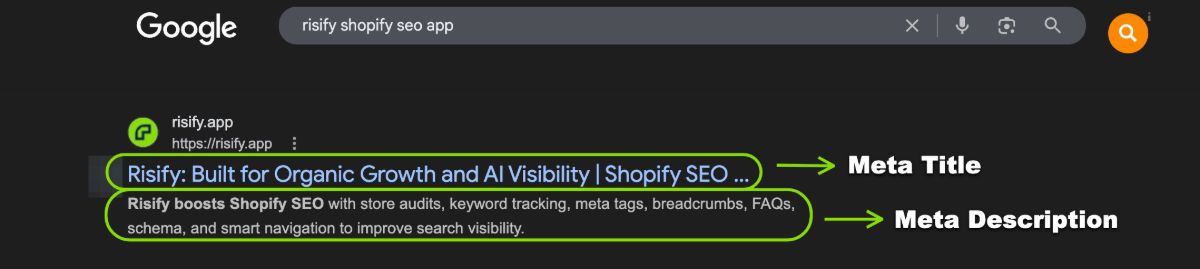
Meta tags are not a direct ranking factor, but they directly affect your click-through rate.
A higher CTR signals to Google that your page is relevant, which can improve your position over time.
Writing good meta tags is one of the simplest, highest-impact SEO tasks you can do for your Shopify store.
What Are Meta Titles and Meta Descriptions?
A meta title (also called a title tag or SEO title) is the clickable headline that appears in search results. It tells both Google and the searcher what your page is about.
A meta description is the short paragraph below the title. It summarizes the page content and gives the searcher a reason to click through to your store.
Together, they form your search result snippet, the small block of text that competes with every other result on the page for the searcher’s attention.
The Rules: Length, Keywords, and Structure
Before writing, understand the constraints that determine whether your meta tags display correctly in search results.
Meta Title
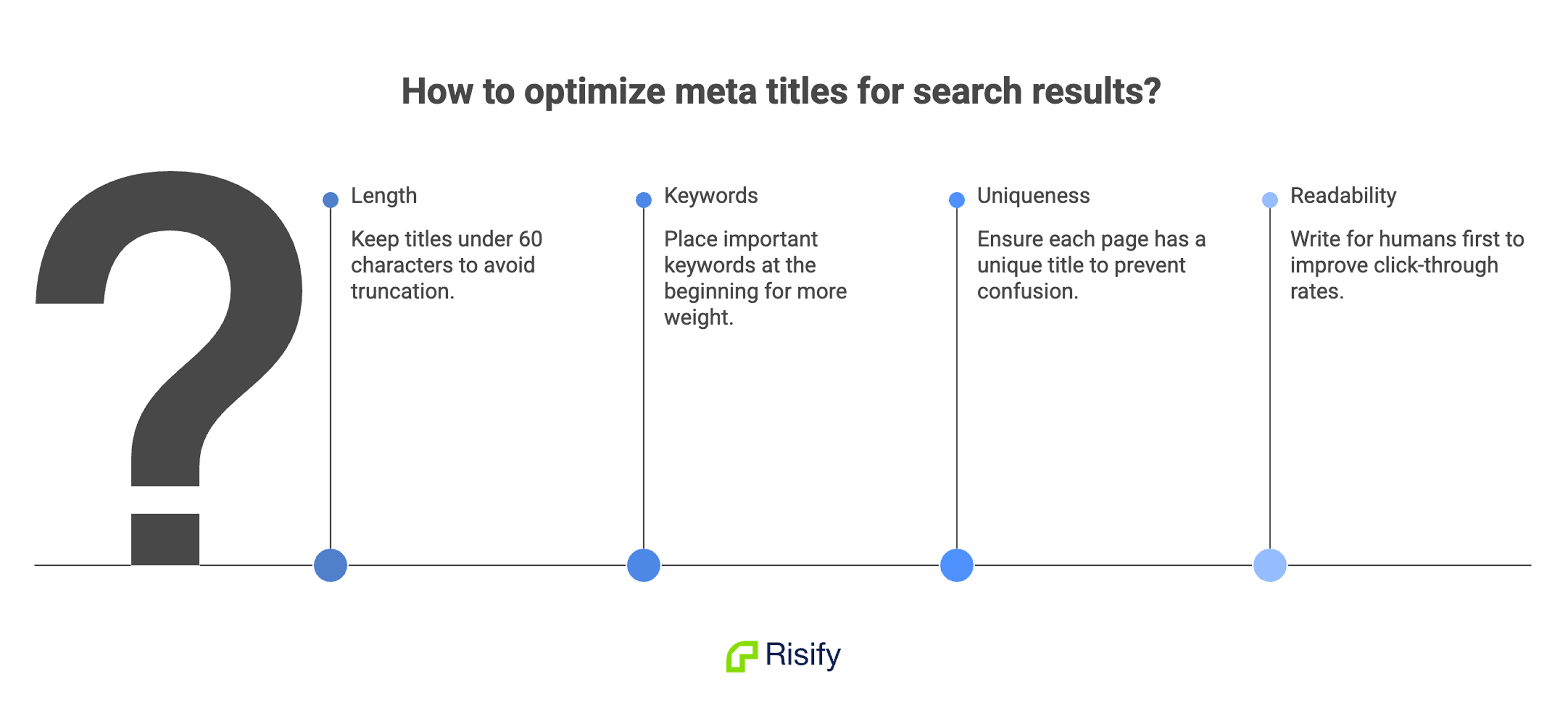
- Length: Keep it under 60 characters. Google truncates titles longer than this, cutting off your message mid-sentence.
- Keywords: Place your most important keyword near the beginning of the title. Google gives more weight to words at the start.
- Uniqueness: Every page needs its own title. Duplicate titles confuse search engines and make it harder for them to rank the right page.
- Readability: Write for humans first. A title stuffed with keywords reads poorly and gets fewer clicks.
Meta Description
- Length: Aim for 150–160 characters. Descriptions longer than this get truncated in search results.
- Keywords: Include your target keyword naturally. Google bolds matching keywords in the description, which draws the eye.
- Action language: Use active verbs like “shop,” “discover,” “compare,” or “learn.” Give the searcher a reason to click.
- Accuracy: The description must match the actual page content. Misleading descriptions increase bounce rates and hurt your credibility.
How to Write Meta Tags for Different Shopify Page Types
Not every page on your store has the same intent. Your meta tags should reflect what the searcher expects to find.
Product Pages
Product page meta tags should focus on the specific product. Include the product name, a key feature or benefit, and a reason to buy.
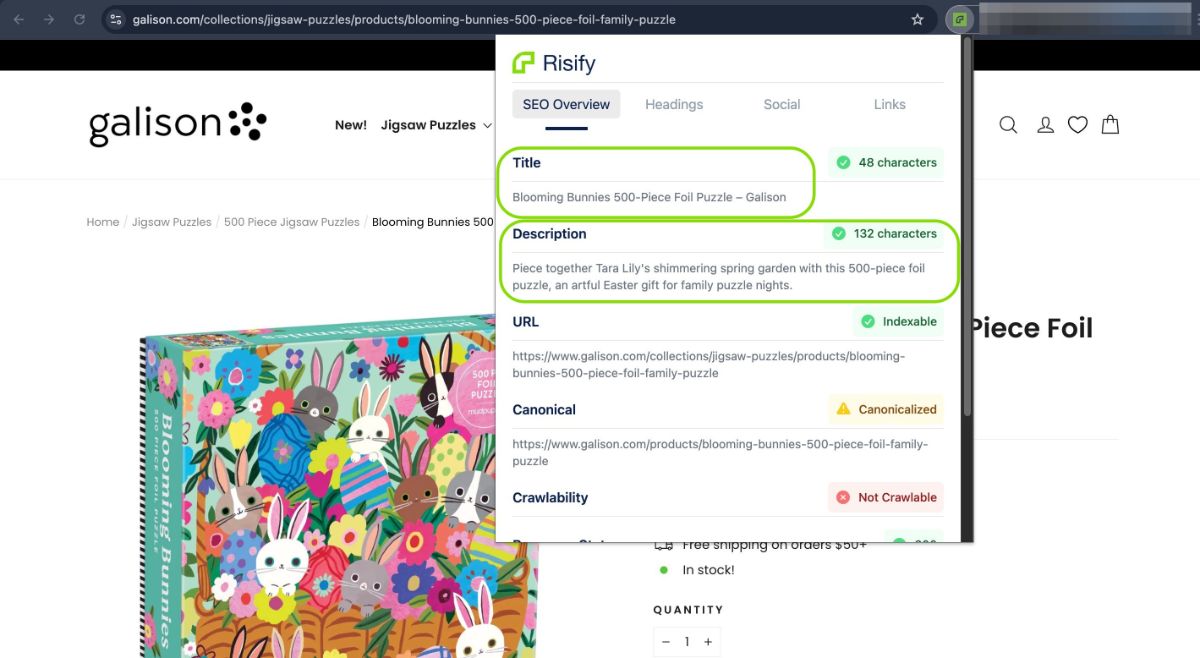
Title example: Organic Cotton T-Shirt | Soft, Breathable, Fair Trade – YourStore
Description example: Shop our organic cotton t-shirt in 8 colors. Made from 100% fair trade cotton, lightweight and breathable for everyday wear. Free shipping over $50.
For product pages, specifics sell. Mention the material, size range, color options, price point, or shipping benefit, whatever makes a searcher choose your listing over the next one.
Collection Pages
Collection pages target broader keywords. Your meta tags should describe the category and what the shopper will find inside.
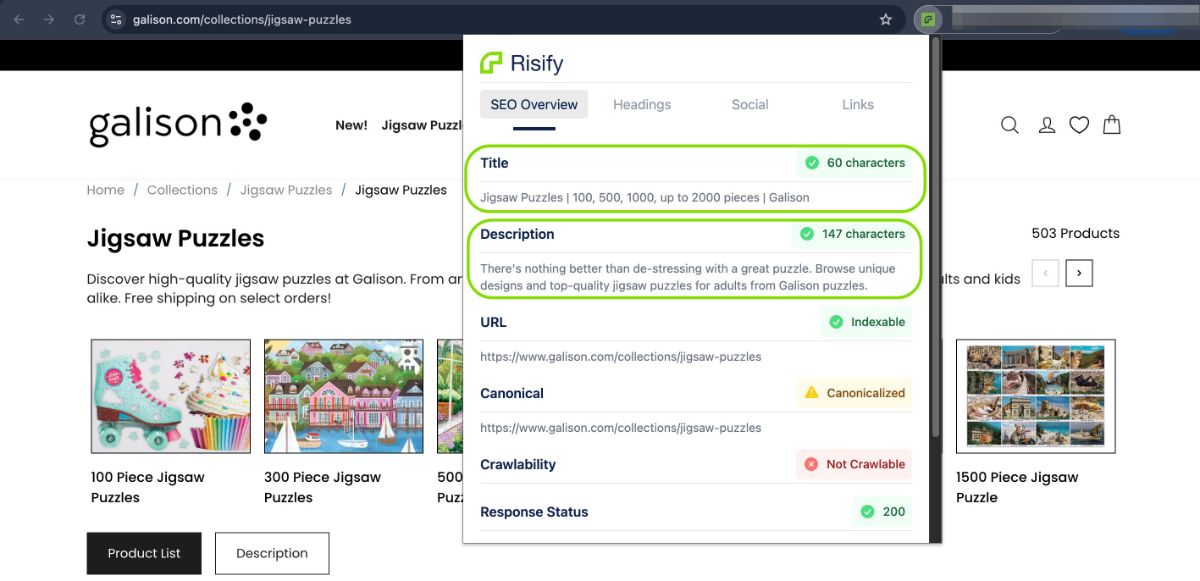
Title example: Women’s Running Shoes | Lightweight & Supportive – YourStore
Description example: Browse our full range of women’s running shoes. Lightweight cushioning, arch support, and durable outsoles for road and trail. Filter by size and style.
Focus on the range and variety available. Searchers clicking on a collection page want to browse, not buy one specific item.
Blog Posts
Blog meta tags should match search intent. If someone searches a question, your title and description should make it clear your post answers it.
Title example: How to Choose the Right Running Shoe for Your Foot Type
Description example: Not sure which running shoe fits your arch? This guide breaks down neutral, stability, and motion control options so you can pick the right pair.
Homepage
Your homepage title should include your brand name and a short description of what you sell. The description should summarize your store’s value proposition.
Title example: YourStore – Sustainable Activewear for Everyday Athletes
Description example: Performance activewear made from recycled materials. Designed for comfort, built to last. Free returns on every order.
Common Meta Tag Mistakes to Avoid
- Leaving them blank: If you do not write a meta description, Google will pull a random snippet from your page. This is almost never as compelling as a well-written description.
- Using the same title and description on multiple pages: Duplicate meta tags make it harder for Google to understand which page to rank for which query.
- Keyword stuffing: Repeating the same keyword three times in a title does not help. It looks spammy and reduces clicks.
- Writing for search engines only: A technically optimized title that reads like a robot wrote it will get skipped. Real people decide whether to click.
- Ignoring character limits: A truncated title or description looks unfinished and unprofessional in search results.
Where to Edit Meta Tags in Shopify
You can edit meta tags for any page directly in your Shopify admin. Go to the product, collection, page, or blog post you want to update. Scroll down to the Search Engine Listing Preview section and click Edit Website SEO. Enter your custom meta title and description, then save.
For your homepage, go to Online Store > Preferences and edit the title and meta description under the SEO section.
After saving, you can verify your changes by viewing the page source in your browser and checking the title and meta description tags. If Google shows different text in search results, that is Google choosing to rewrite the snippet based on the query, your tags are still correctly set.
How Risify Helps You Manage Meta Tags
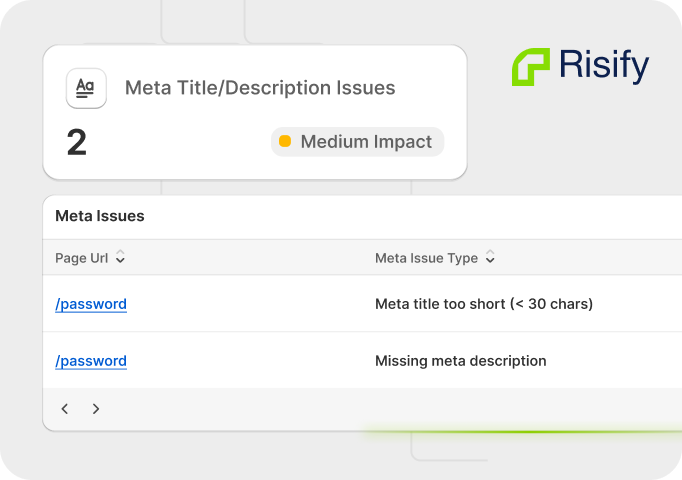
Editing meta tags one page at a time in Shopify works, but it gets tedious when you have hundreds of products and collections. Risify’s Meta Tags feature lets you view and edit meta titles and descriptions for all your products and collections from a single screen.
You see everything in one place, edit inline with a live search preview, and save directly to Shopify without opening each page individually.
Risify’s Store Audit also flags pages with missing, too-short, or too-long meta tags so you know exactly where to focus. And if you want to speed up the process, Risify’s AI Generator can create optimized meta tags for you using 1 AI credit per field.