Risify's AI & Search Audit scans your store and reports issues in four areas: broken links, meta issues, schema errors and page speed. Each area shows specific problems with enough detail to fix them directly, and the audit gives your store an AI & Search Audit score that reflects its overall condition for search engines and AI tools.
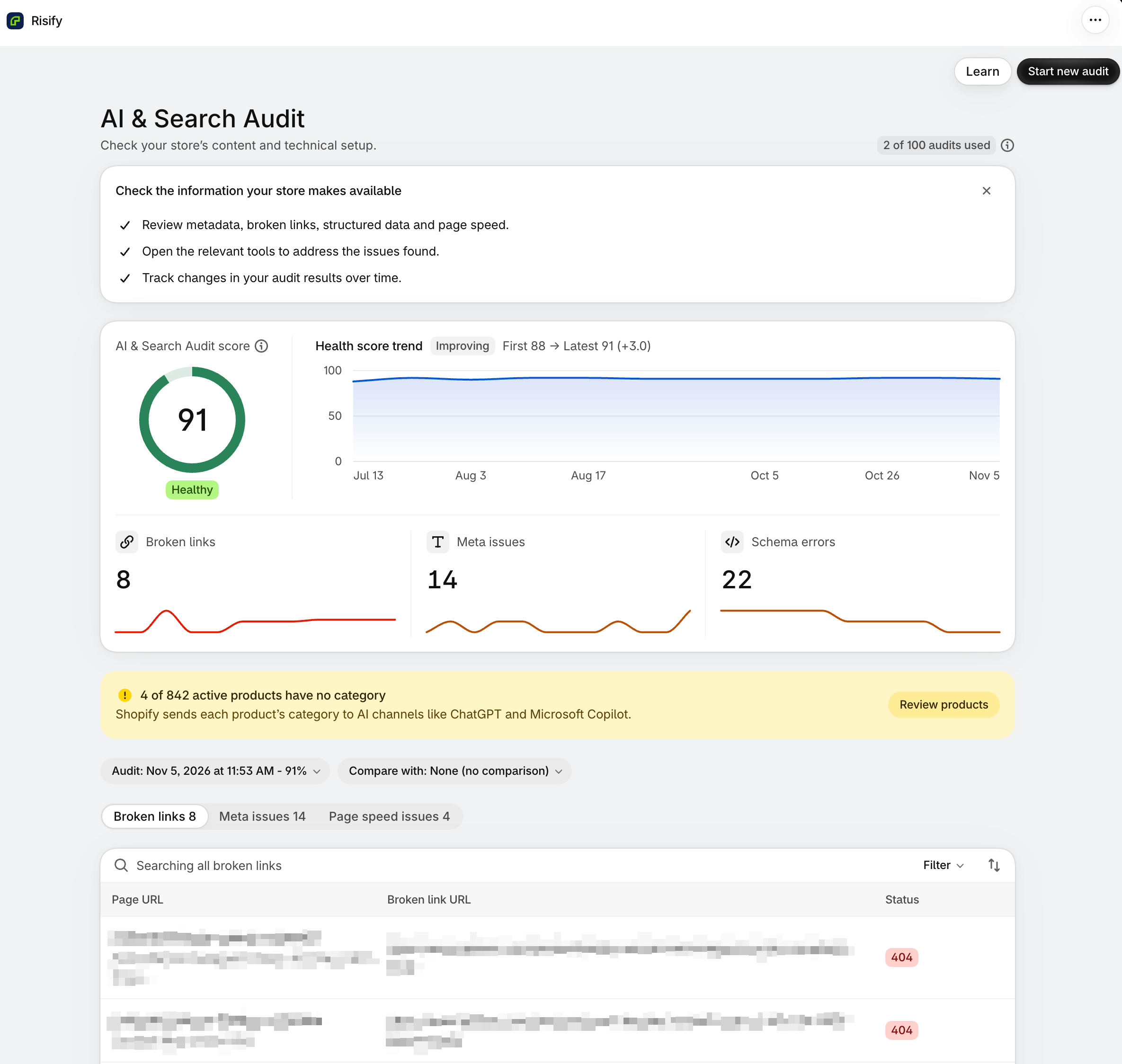
- Broken links shows the page each broken link is on, the URL it points to and the status it returns.
- Meta issues flags products, collections and pages with missing, too short, too long or duplicate metadata, with an Edit meta tags button on each row.
- Schema errors counts problems in the structured data your store publishes.
- Page speed reports Core Web Vitals and other performance metrics for mobile and desktop.
- The AI & Search Audit score combines everything into a single number you can track over time.
Broken Links
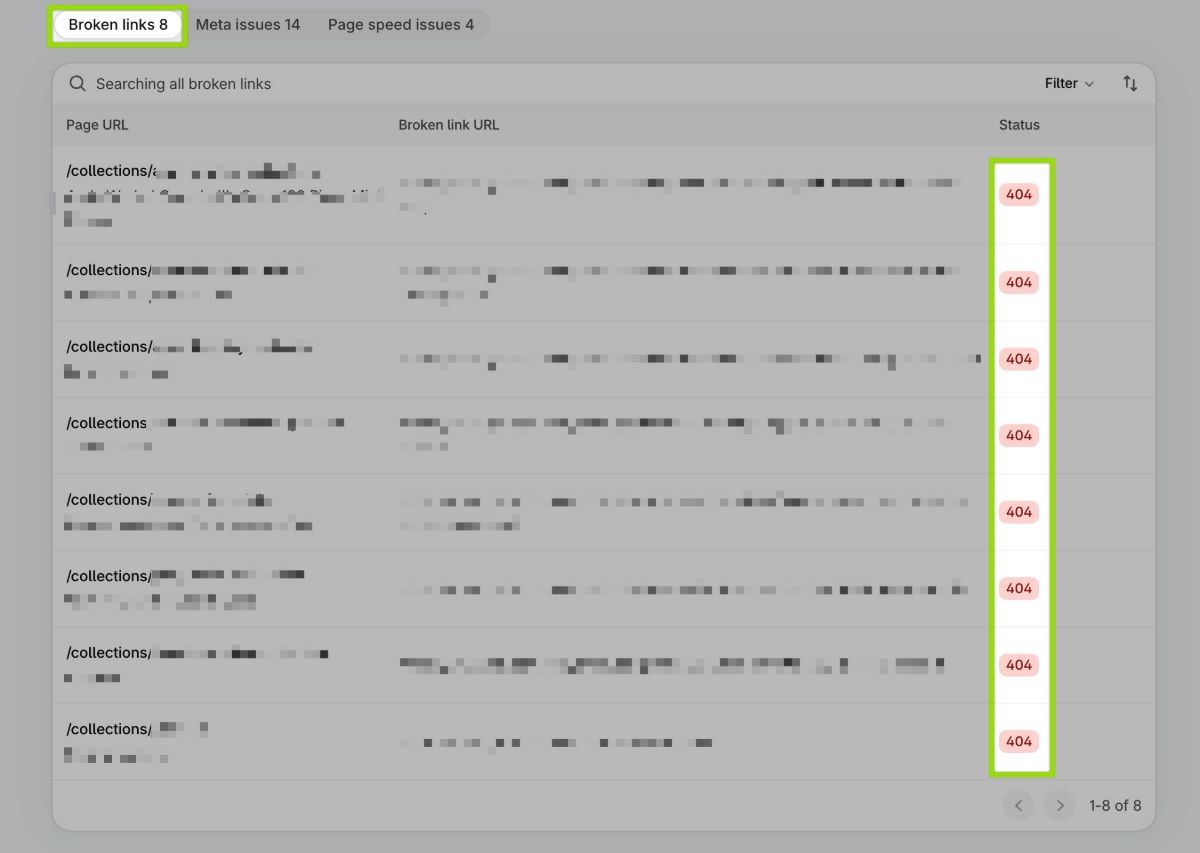
The Broken links tab lists URLs in your store that lead to error pages. Each entry includes what you need to locate and fix it.
What the Report Shows
For each broken link, Risify displays:
- Page URL: the page in your store where the broken link exists.
- Broken link URL: the URL the link points to.
- Status: the error the link returns, such as 404.
You can search the list and filter or sort it.
How to Use This
The page URL tells you exactly where to go. Open that page, find the link that points to the broken URL, and either update the URL, remove the link or set up a redirect for the broken destination.
Start with broken links on the pages that matter most: your main collections, best-selling products and navigation.
Meta Issues
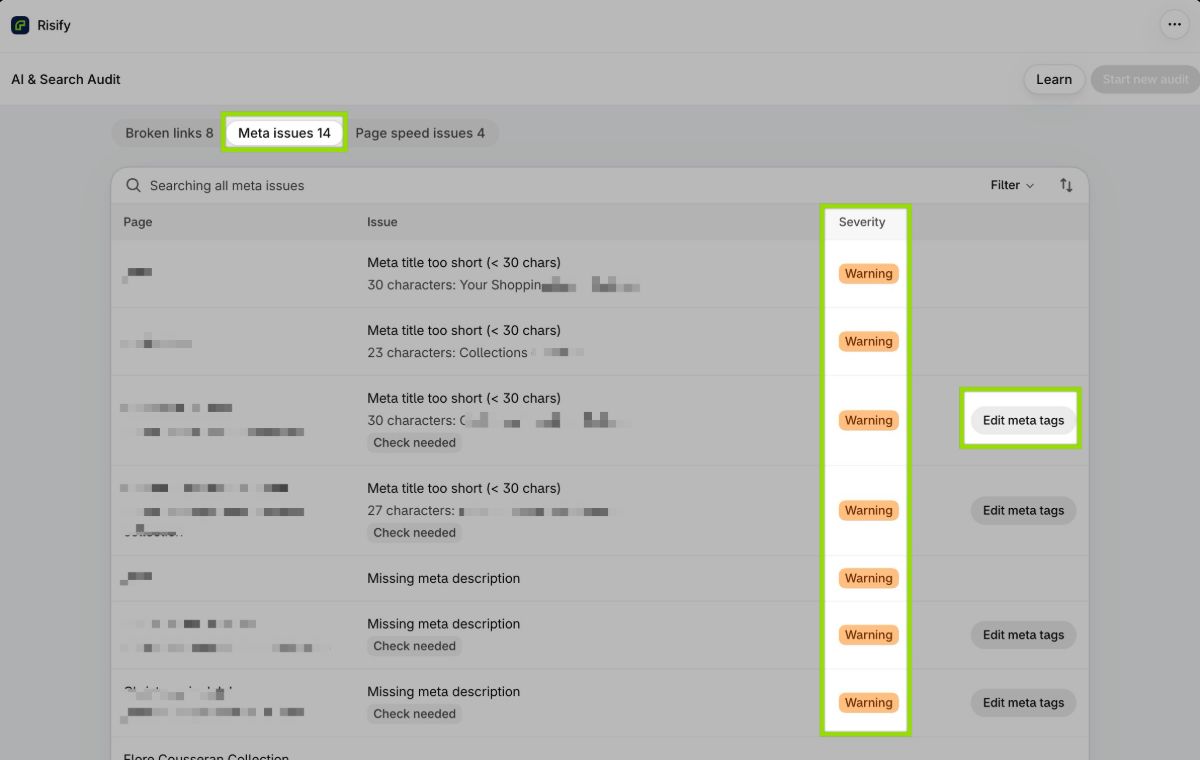
The Meta issues tab flags products, collections and pages with missing, incomplete or problematic metadata. These are the titles and descriptions that appear in search results and tell search engines and AI tools what each page is about.
What the Report Shows
Risify checks for:
- Missing meta title: no title set.
- Missing meta description: no description set.
- Meta title too short: under 30 characters, not using the available space.
- Title or description too long: exceeds the length check and will be cut off in search results.
- Duplicates: the same text used on more than one page.
Each issue shows:
- The affected page
- The specific problem, with the current character count where relevant
- A severity label
- An Edit meta tags button
How to Use This
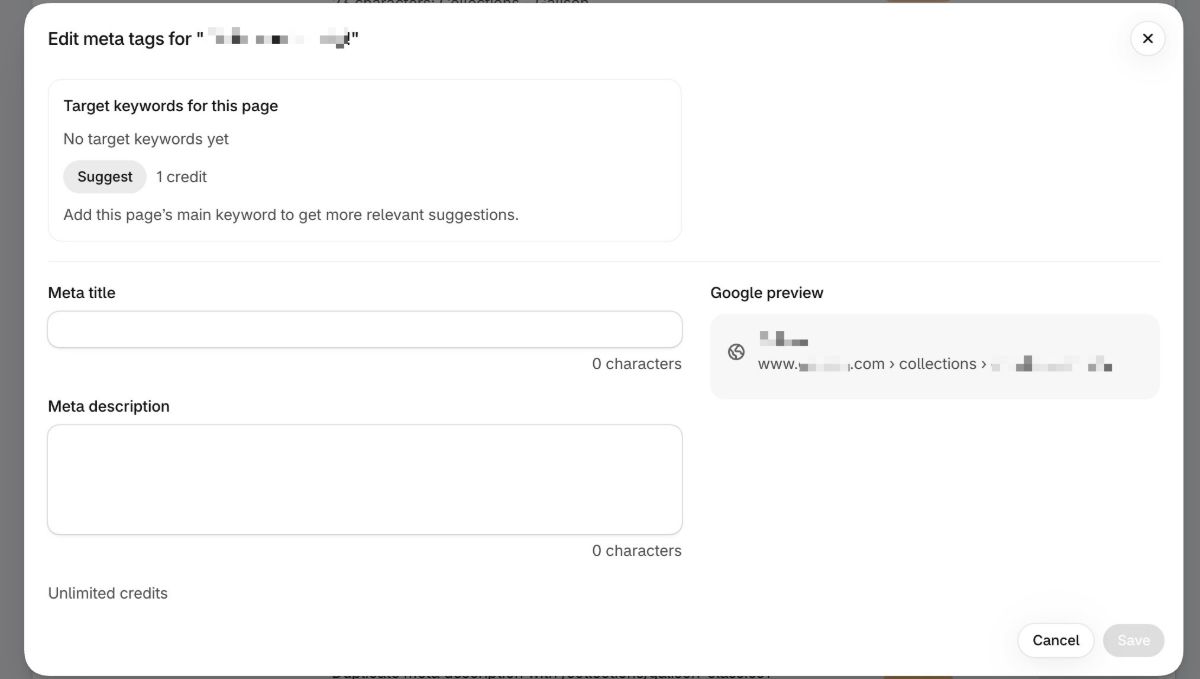
Click Edit meta tags to open the metadata fields directly, without leaving the audit. You can:
- Add the page's target keywords, so suggestions are more relevant.
- Write the meta title and meta description yourself, with character counts and a Google preview.
- Click Suggest to have Risify AI write them for you. This uses one AI credit.
Saved changes update your store's metadata directly, with no theme setup needed. You can also work through the same issues on the Meta Tags page, which uses the audit results and shows summary cards for missing, too long and duplicate tags.
Schema Errors
The audit summary shows how many schema errors it found. Schema errors are problems in the structured data (JSON-LD) your store publishes, which search engines use for rich results and AI tools use to understand your products.
How to Use This
Open the Structured Data page to review your schema types. Each type has its own settings, and Debug mode shows the generated code on your storefront so you can check the output. You can also test your pages in Google from the same page. Run a new audit afterwards to confirm the errors are gone.
Page Speed Issues
The Page speed issues tab measures how quickly your store loads and identifies what slows it down. Performance is tested separately for mobile and desktop.
Performance Score
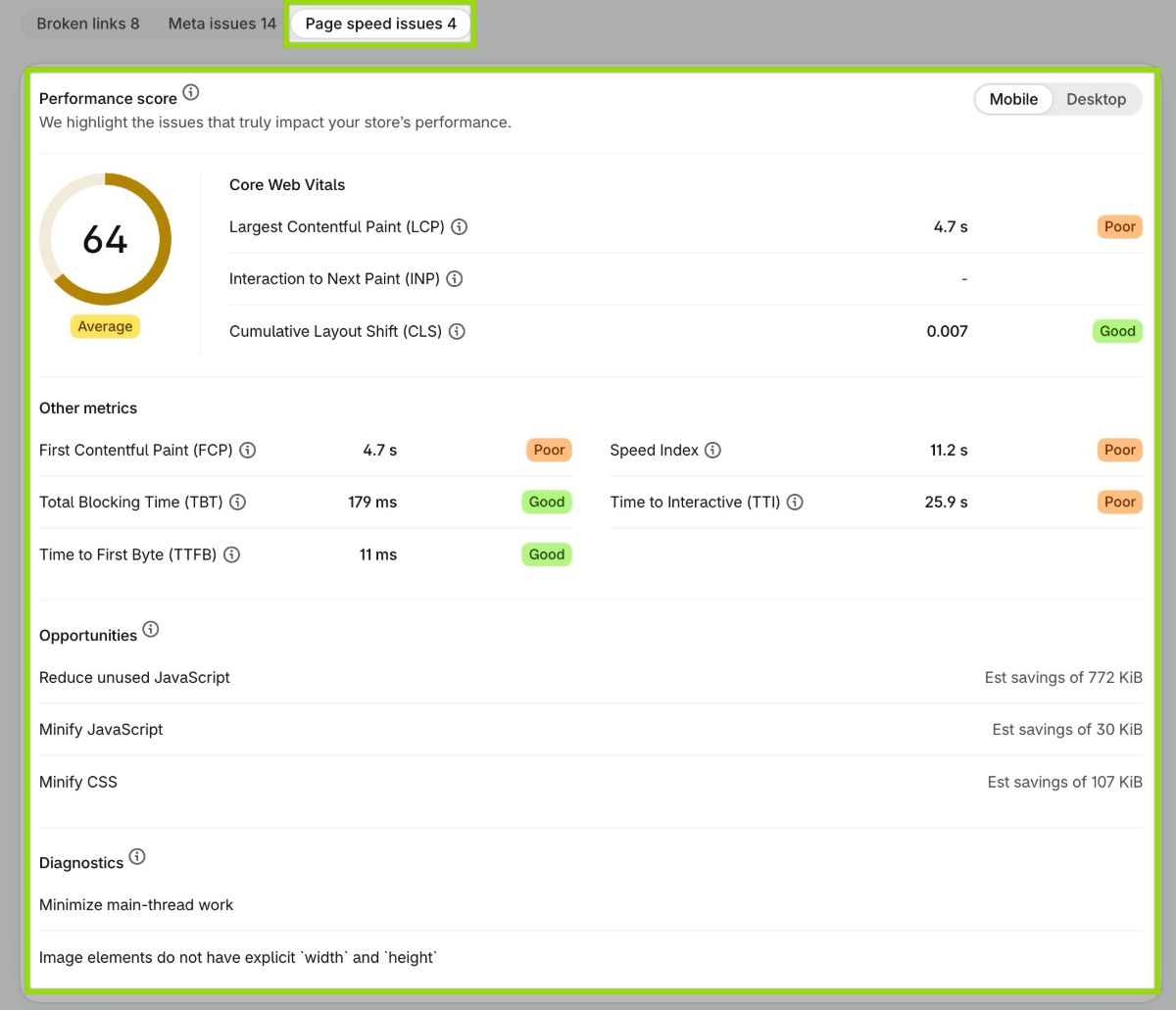
The Performance score indicates how efficiently your store loads. A score closer to 100 means faster loading and a better experience for shoppers. Lower scores indicate room for improvement.
Core Web Vitals
These are the metrics Google uses to evaluate page experience:
- LCP (Largest Contentful Paint): how long until the main content is visible. Target: under 2.5 seconds.
- INP (Interaction to Next Paint): how responsive the page feels when users interact. Target: under 200 milliseconds.
- CLS (Cumulative Layout Shift): how much the page layout moves during loading. Target: under 0.1.
Other Metrics
Risify also reports:
- FCP (First Contentful Paint): how long until any content appears. Target: under 1.8 seconds.
- TTFB (Time to First Byte): how long the server takes to respond. Target: under 800 milliseconds.
- Speed Index: how quickly content becomes visually complete.
- TBT (Total Blocking Time): how long the page is unresponsive during loading.
- TTI (Time to Interactive): when the page becomes fully usable.
Each metric is labeled Good, Average or Poor so you can see at a glance which ones need attention.
Opportunities and Diagnostics
Below the metrics, two sections provide guidance:
- Opportunities: specific suggestions to improve load speed, such as reducing unused JavaScript or minifying CSS, with the estimated savings for each.
- Diagnostics: technical checks, such as minimizing main-thread work or giving image elements explicit width and height.
Switch between Mobile and Desktop to see how performance differs by device.
AI & Search Audit Score
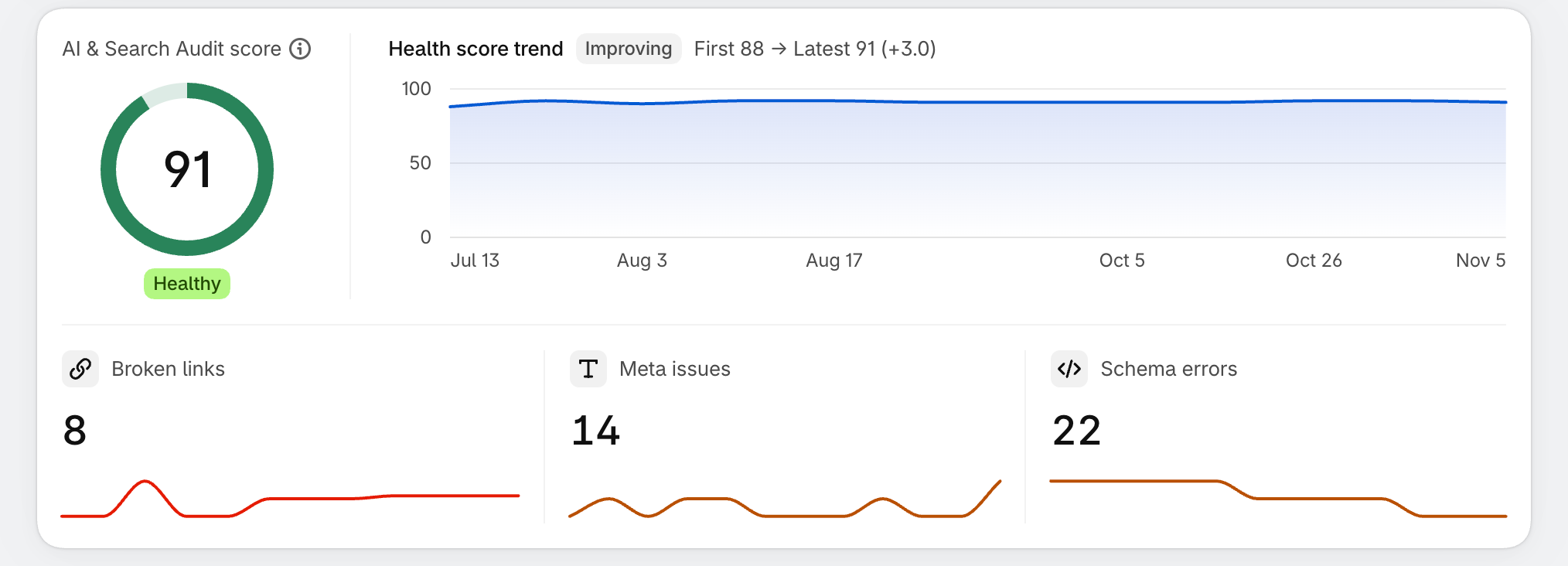
The AI & Search Audit score is a single number, out of 100, that reflects your store's overall condition for search engines and AI tools. It combines the findings from broken links, meta issues, schema errors and page speed.
How It Works
The score is based on the issues found across all areas. Fewer issues result in a higher score; more issues lower it. Next to the score, a label such as Healthy summarizes the result, and the Health score trend chart shows how your score has changed from your first audit to your latest, marked as improving, stable or declining.
How to Use It
The score serves as:
- A quick indicator: glance at the number to understand overall condition without reviewing every area.
- A benchmark: use the Audit and Compare with dropdowns to put two audits side by side and see what changed.
- A signal: a declining trend means new issues are appearing; a rising trend confirms your fixes are working.
When you run a new audit after making fixes, the score updates and a new point is added to the trend.
Audit Your Store with Risify
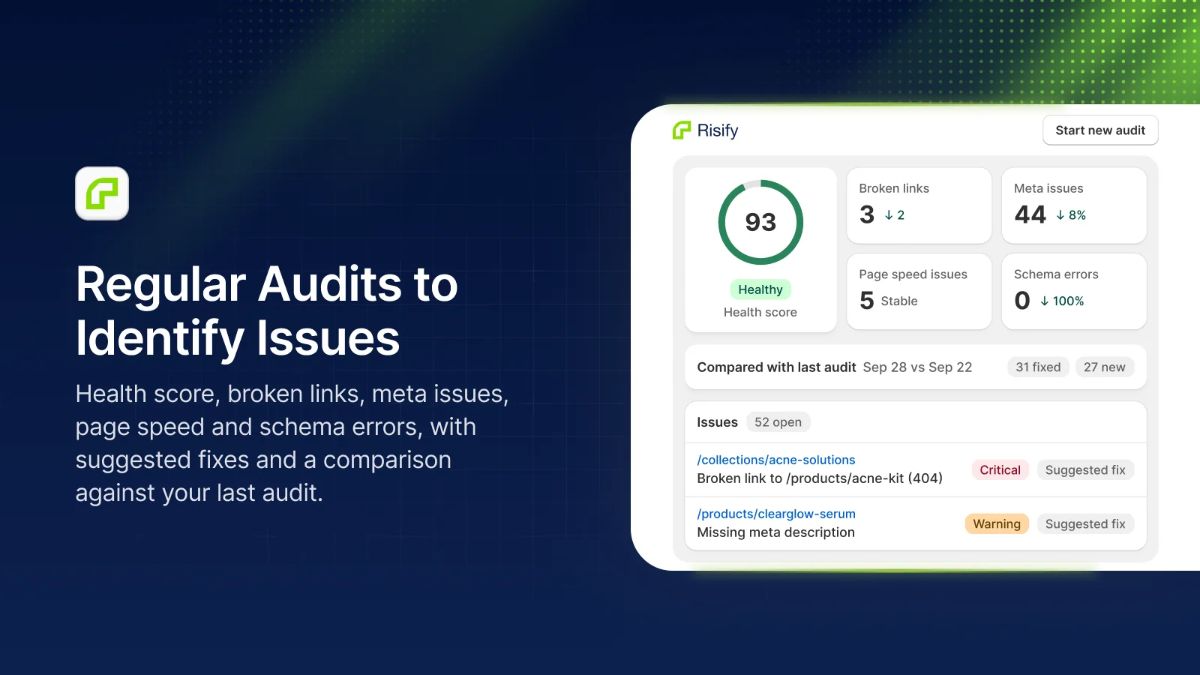
Risify's AI & Search Audit gives you specific, actionable information about the issues on your store. Broken links, meta issues, schema errors and page speed data all include the details you need to fix problems directly, and the AI & Search Audit score lets you measure your store's condition and track improvement over time.